Test Environment Management: A Practical Guide for QA Teams
Test Environment Management: A Practical Guide for QA Teams Test environment management (TEM) is the discipline of provisioning, tracking, and maintaining the systems your teams test against so that testing is fast, reliable, and reproducible.
Test environment management (TEM) is the discipline of provisioning, tracking, and maintaining the systems your teams test against so that testing is fast, reliable, and reproducible. Done well, it rests on three pillars: a single source of truth (SSOT) for what environments exist and who’s using them, a booking system that manages demand before it turns into conflict, and self-service automation that provisions and decommissions environments without a ticket queue.
Teams that get this right lean on Infrastructure as Code, track SLOs and SLIs for environment health, and treat decommissioning as seriously as provisioning. Effective TEM reduces cloud infrastructure spend by killing off zombie environments nobody remembers spinning up. Ridiculous Engineering has watched teams cut environment-related test failures dramatically just by fixing these three things first.
Quick wins you can start this week:
-
Audit every environment currently running and write down who owns it.
-
Put a shared calendar or booking tool in front of your staging environment.
-
Automate the teardown of anything idle for more than 48 hours.
Pro Tip: Don’t chase a perfect clone of production. Aim for focal parity on the surfaces that actually break things: networking, auth, storage, and external integrations. Everything else is a rounding error.
Key Takeaways
Test environment management works when a single source of truth, disciplined booking, and self-service automation replace ad-hoc requests and forgotten infrastructure.
| Point | Details |
|---|---|
| Start with focal parity | Match production on networking, auth, storage, and integrations rather than cloning everything. |
| Fix test data first | Roughly 30 to 40 percent of testing time is lost to data prep without a deliberate TDM strategy. |
| Automate decommissioning early | Scheduled teardown of idle environments is the fastest route to measurable cloud-cost savings. |
| Assign clear ownership | Platform owns infrastructure SLAs, TEM coordinators own booking, test owners own their data. |
| Bring in help when scale outpaces process | Ridiculous Engineering builds the automation, IaC templates, and CI/CD workflows that make TEM predictable. |
Table of Contents
-
What Are the Core Activities of Test Environment Management?
-
Which Tools and Automation Patterns Scale Test Environment Management?
-
How Do You Prevent Environment Contamination and Security Risks?
-
What Do Real Test Environment Management Improvements Look Like?
-
Get Help Building a Test Environment Management System That Actually Works
Why Test Environment Management Matters
TEM improves test reliability, speeds up delivery, and controls cost. Those are the three things every engineering leader gets asked about in a budget review, and TEM is one of the few disciplines that moves all three at once.
The benefits show up quickly once you’re paying attention:
-
Fewer environment-related test failures, because the environment stops being the mystery variable in a failed build.
-
Faster mean-time-to-availability when someone needs a clean environment on demand instead of waiting two days for ops.
-
Lower cloud spend, since nobody’s forgetting to shut down a staging cluster from three sprints ago.
You need a formal TEM function once you cross a few thresholds: multiple teams sharing environments, regular booking conflicts, or a pattern of “works on my machine” bugs that nobody can reproduce. Below that scale, a spreadsheet and some discipline might genuinely be enough. Above it, informal practices quietly become your biggest source of flaky tests, and teams that adopt IaC and CI/CD promotion workflows tend to solve this before it becomes a crisis rather than after.
What Are the Common Test Environments?
Every org’s environment landscape looks a little different, but the shapes repeat:
-
Local/dev: fast iteration, synthetic data, no shared state.
-
Integration: verifying services talk to each other correctly, often with test doubles for anything external.
-
System/regression: full application behavior, closer to production data shapes.
-
UAT/staging: business-facing validation, usually needs the most production-like (often masked) data.
-
Performance/load: production-scale infrastructure, synthetic but volumetrically realistic data.
-
Specialized sandboxes: feature-branch previews, chaos-engineering environments.
Pro Tip: If a third-party dependency is slow, expensive to call repeatedly, or flaky in ways unrelated to your code, use service virtualization or test doubles instead of hitting the real thing in every environment below staging.
What Are the Core Activities of Test Environment Management?
TEM is an operational discipline built from repeatable activities, not a one-time setup project. According to the canonical breakdown on Wikipedia’s TEM overview, the function spans:
-
Information management — maintaining the SSOT/CMDB of what environments exist, their configuration, and their state.
-
Demand management — booking and scheduling so two teams don’t collide on the same staging database.
-
Supply management — provisioning environments on request, ideally through self-service automation.
-
Monitoring — tracking uptime, health, and drift in real time.
-
Incident and problem management — triaging environment failures and finding root causes, not just restarting the pod.
-
Housekeeping — decommissioning stale environments and reclaiming resources.
-
Test data management (TDM) — refreshing, masking, and provisioning data safely.
-
Reporting and continuous improvement — using metrics to find the next bottleneck.
Ownership matters here. Platform or SRE teams typically centralize provisioning, monitoring, and housekeeping. A TEM coordinator (sometimes a dedicated role, sometimes a hat a QA manager wears) owns booking policy and information management. Individual test owners are responsible for the data and test cases running inside their booked window, and release managers own the go/no-go call when an environment incident threatens a release date.
Track metrics per activity: uptime percentage, mean-time-to-availability, booking conflict rate, and environment incident reproduction rate all tell you something different about where the friction lives.
Teams without a deliberate TDM strategy lose roughly 30 to 40 percent of testing time to data preparation and data-related failures. That’s not a rounding error. It’s the single biggest hidden tax on your testing velocity, and it’s why test data deserves its own owner. In practice, environment infrastructure belongs to platform engineering; the data living inside it belongs to QA or the test owner, with a shared contract for how refreshes happen.
Which Tools and Automation Patterns Scale Test Environment Management?
The right combination of inventory, booking, and self-service automation turns TEM from firefighting into a predictable operation. That combination doesn’t require exotic tooling, just deliberate choices at each layer:
-
CMDB/SSOT: a configuration repository (even a well-maintained internal wiki works at small scale) tracking what exists and its owner.
-
Booking/scheduler: a calendar tool or dedicated environment-booking system to prevent collisions.
-
Infrastructure as Code: Terraform, Pulumi, or similar for reproducible provisioning.
-
Provisioning/orchestration: Kubernetes-based orchestration or cloud-native automation for on-demand environments.
-
TDM tools: masking, subsetting, and synthetic data generation.
-
Incident tracking: your existing ticketing system, wired into environment alerts.
-
Observability: telemetry that mirrors production monitoring, scaled down.
Most teams evolve up a ladder: spreadsheet, then ticketing queue, then a dedicated booking tool, then a self-service platform. Team scale, concurrency demands, and compliance requirements are what push you up a rung. Concrete automation patterns worth copying include build-once-promote artifacts, templated IaC blueprints, per-pull-request database branching, and scheduled decommissioning jobs that run without a human approving them.
A few caveats before you automate everything: secrets management and compliance don’t get easier just because provisioning is automated, stateful services (databases, message queues) resist templating more than stateless ones, and network topology differences between environments cause more “works in staging, fails in prod” bugs than code ever does.
What Metrics and SLAs Define a Healthy Test Environment?
Measure what matters: availability, reproducibility, and cost. Each metric needs an owner and a review cadence, or it just becomes a dashboard nobody looks at.
Concrete SLIs for environment parity give you something to actually manage against instead of a vague sense that “staging feels flaky lately.”
| Metric | What It Tells You | How to Measure | Suggested Starting Target |
|---|---|---|---|
| Environment uptime | Availability of the environment when needed | Uptime monitoring against booked windows | high availability during business hours |
| Artifact match rate | How closely deployed artifacts match production builds | Compare build hashes/digests across environments | high availability |
| Config drift count | Unplanned configuration divergence | Automated drift detection tooling | Near zero, reviewed weekly |
| Mean-time-to-availability | Speed of getting a usable environment | Time from request to ready-for-test | Under 30 minutes |
| Booking conflict rate | How often demand exceeds supply | Conflicts per week / total bookings | Under 5% |
Platform teams typically own uptime and drift; TEM coordinators own booking conflict rate; test owners own escalating incidents when an environment blocks a release. Set a clear handoff rule: if an environment issue isn’t resolved within an agreed window, it escalates to platform on-call automatically, not after someone finally notices.
How Do You Set Up or Improve Test Environment Management?
Follow these eight prioritized steps to move from ad-hoc to predictable TEM:
-
Audit your inventory and build an SSOT. Lead: TEM coordinator. Quick win: you’ll immediately find environments nobody knew were still running.
-
Instrument CI/CD for artifact immutability. Lead: platform/DevOps. Low-cost option: start with build hash comparisons before investing in full artifact registries.
-
Adopt IaC templates for the environments you rebuild most often. Lead: platform engineering.
-
Implement booking with a shared calendar before buying a dedicated tool.
-
Automate provisioning and decommissioning. This is where most of the cloud-cost savings come from. Scheduled teardown of idle environments alone often pays for the automation effort within a quarter.
-
Introduce TDM isolation and masking. Database branching per pull request is a low-cost, high-leverage starting point.
-
Add observability and parity checks so drift gets caught before it causes a failed test.
-
Define SLAs and run a game day to validate that your staging environment can actually reproduce a production incident.
Pro Tip: Start with step 5 if budget is tight. Decommissioning idle environments is the fastest path to a cost win leadership will notice.
What Are the Common Pitfalls and Cost Tradeoffs in TEM?
TEM pays off, but coordination and cost tradeoffs need deliberate management. Over-investing in full production parity burns budget without a proportional drop in risk. Shared mutable test data causes flaky, hard-to-debug failures. Poor booking governance leads to silent conflicts. Unclear ownership means incidents sit unresolved. Slow decommissioning quietly inflates your cloud bill. And a lack of observability in non-production environments means you find out about drift only when a test fails mysteriously.
Mitigate each with a specific tactic: focal parity instead of full cloning, database branching instead of shared fixtures, scheduled teardown jobs, and a written runbook for drift remediation. When friction comes from team boundaries rather than technology, try a simple governance pattern: platform owns infrastructure SLAs, individual teams own their data and test schedules, and both sides review conflicts weekly.
How Should You Manage Test Data and Handle Masking?
Test data management is where most TEM programs quietly fail, because it’s treated as an afterthought to environment provisioning rather than its own discipline. The consequence is predictable: testers wait for access to seed data, debug failures that turn out to be stale or corrupted records, and eventually just start copying production data by hand because it’s faster than asking for help.
That last habit is the real risk. Copying production data into lower environments without masking exposes personally identifiable information to anyone with test access, and it’s how compliance violations happen quietly, environment by environment, until an audit finds them all at once.
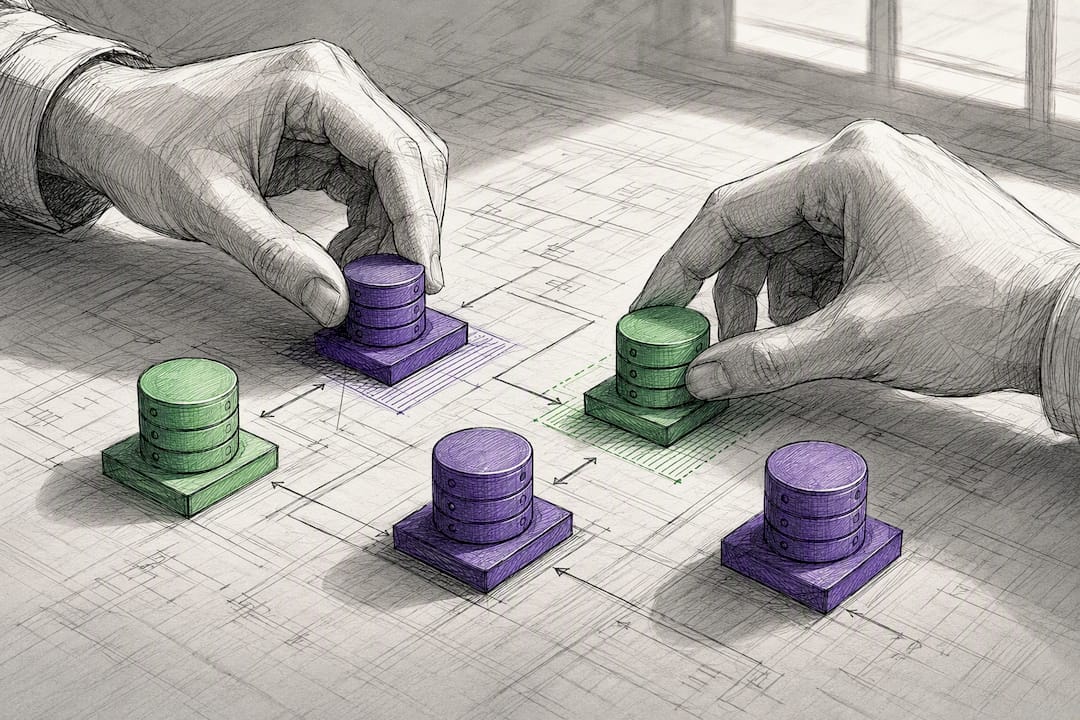
A better pattern starts with subsetting: pull only the data volume you actually need for a given test suite, not a full production snapshot. Layer masking on top for anything sensitive, applied consistently so the same customer record masks the same way across environments. Then move toward isolation, using database branching or per-pull-request databases so tests stop sharing mutable state with each other. This is the single highest-leverage fix for flaky CI runs caused by test pollution.
Refresh cadence matters too. Stale data hides bugs that only appear against current data shapes; refreshing too often breaks tests that depend on specific fixtures. Most teams land on a scheduled refresh (weekly or per sprint) for staging, with on-demand refresh available for teams debugging a specific issue. Whatever cadence you pick, document it. “Nobody knows when staging data was last refreshed” is a symptom of the same ownership gap that causes booking conflicts.
How Do You Prevent Environment Contamination and Security Risks?
Environment contamination happens when test data, configuration, or state from one team’s testing bleeds into another’s, or when a lower environment inherits production credentials it never should have had. Both are governance failures more than technical ones.
Start with credential isolation. Every environment tier should have its own secrets, rotated independently, with production credentials never copied downward “just to make something work faster.” This sounds obvious until you audit a real environment and find a production API key sitting in a staging config file from eighteen months ago.
Network segmentation matters just as much. Lower environments shouldn’t have unrestricted access to production systems, payment processors, or third-party APIs that charge real money per call. Service virtualization, mentioned earlier for cost and speed reasons, doubles as a security control here: if a test environment can’t reach the real payment gateway at all, it can’t accidentally charge a real customer.
For data contamination specifically, the isolation patterns already discussed (database branching, per-run ephemeral environments) solve most of the problem structurally rather than relying on discipline. If tests can’t share a database, they can’t pollute each other’s state. That’s a stronger guarantee than a code review catching a bad test.
Run periodic access audits on non-production environments the same way you would on production. It’s easy to assume staging doesn’t need the same scrutiny because “it’s not real,” but a staging database holding masked customer data, connected to internal tools, is still a target worth locking down properly.
What Do Real Test Environment Management Improvements Look Like?
The pattern shows up repeatedly across teams that formalize TEM: the biggest gains come from fixing the boring, unglamorous parts first, not from buying a platform.
A team drowning in booking conflicts typically sees the fastest measurable change. Before a booking system, two teams sharing one staging environment means someone’s tests fail for reasons that have nothing to do with their code, a classic “why did this pass yesterday” support ticket. After introducing a shared calendar and clear booking rules, that category of failure tends to disappear almost entirely within a sprint or two, because the conflict that caused it structurally can’t happen anymore.
Teams that adopt database branching or per-pull-request isolated databases report a similar pattern with flaky CI: shared mutable test data is one of the most common causes of intermittent failures that developers learn to just rerun and ignore. Once each test run gets its own isolated data, that entire class of “flaky test, just retry it” tickets stops generating noise in the backlog.
The lifecycle side shows up on the cloud bill rather than the test dashboard. Teams that add scheduled decommissioning for idle environments consistently find infrastructure running that nobody remembered to shut down, sometimes environments spun up for a single sprint and left running for months. Reclaiming that waste is one of the more satisfying wins in TEM, because it’s a number a CFO actually cares about, not just an engineering metric.

The common thread across all three: the improvement wasn’t a new tool. It was fixing an ownership gap, informal booking, shared databases, no decommissioning trigger, that had been quietly costing time and money the whole time.
Get Help Building a Test Environment Management System That Actually Works
Most teams don’t need another dashboard. They need someone to build the IaC templates, wire up the booking automation, and set up the decommissioning jobs that turn this article into working infrastructure. That’s the gap Ridiculous Engineering fills: we design and build the custom software and DevOps automation that makes TEM predictable instead of theoretical, without locking you into a platform you didn’t ask for.
If your team is losing sprints to environment conflicts, stale test data, or a cloud bill nobody can explain, that’s exactly the kind of problem we solve for engineering leaders every week. We’ll look at your current setup, tell you honestly what’s worth automating first, and build it. Get in touch with Ridiculous Engineering to start the conversation.
Sources
FAQ
What Is the Difference Between a Dev and Test Environment?
A dev environment is where individual engineers write and run code locally or in isolation, usually with synthetic data and minimal integrations. A test environment (integration, system, or staging) is shared, more production-like, and used to validate behavior across services before release.
What Are the Stages of Software Testing?
Common stages include unit testing, integration testing, system testing, user acceptance testing (UAT), performance testing, and regression testing, each typically run in its own environment tier as described earlier in this article.
How Do I Create a Test Environment?
Start by defining what the environment needs to validate, then provision it with Infrastructure as Code for repeatability, populate it with masked or synthetic test data, and register it in your inventory or SSOT so it’s tracked from day one.
What Does “Test Environment” Mean?
A test environment is a configured system, infrastructure, application code, and data, used specifically to validate software behavior before it reaches production, distinct from both development and live environments.
Who Should Manage Test Environments?
A dedicated TEM coordinator typically owns booking and information management, while platform or SRE teams own provisioning and monitoring. Firms like Ridiculous Engineering often step in to build the automation layer when a team lacks the internal capacity to do it themselves.