Good Automation for Engineers: How to Build Right-Sized Systems
Good automation is not the most elaborate automation. It is a right-sized system that performs a defined job reliably, exposes exceptions clearly, and gives people a safe way to intervene when reality differs from the happy path.
Good automation is not the most elaborate automation. It is a right-sized system that performs a defined job reliably, exposes exceptions clearly, and gives people a safe way to intervene when reality differs from the happy path.
For engineering teams, that usually means starting with a narrow process, defining what success looks like, and building observability, validation, ownership, and recovery into the design from the beginning. The objective is not to remove people from every workflow. It is to remove unnecessary manual effort while preserving the judgment and control that the process actually needs.
Automation becomes valuable when people trust it enough to stop double-checking every result. That trust is earned through predictable behavior, useful alerts, traceable actions, and a clear response when something goes wrong.
Good Automation at a Glance
| Question | Practical answer |
|---|---|
| What makes automation good? | It performs a defined job consistently, handles normal variation, records what happened, and fails in a way people can detect and recover from. |
| Which processes should be automated first? | Start with frequent, rule-based work where the outcome is measurable and exceptions can be routed to human review. |
| What should happen when automation is uncertain? | It should stop safely, preserve the relevant context, and create an actionable exception rather than guessing silently. |
| What controls should exist before launch? | Validation, version control, structured logging, testing, ownership, staged rollout, monitoring, and a tested rollback or replay path. |
| How should automation success be measured? | Measure both value and reliability: time saved, errors avoided, cycle time, success rate, exception rate, detection time, and recovery time. |
| Is AI automation different? | Yes. AI-driven workflows need deterministic boundaries, permissions, auditability, validation, and human escalation because their outputs may be probabilistic. |
What Good Automation Looks Like in Practice
Consider three common examples:
- An approval-routing workflow sends purchase requests to the right manager based on amount, department, and approval rules, while recording who approved the request and when.
- A test pipeline runs the same checks whenever code changes, reports failures clearly, and prevents an invalid build from moving to the next environment.
- An invoice-reconciliation process matches invoices to purchase orders when the relevant fields agree, then routes uncertain matches to a review queue instead of making an unsupported decision.
None of these systems needs to be flashy. They need to be dependable.

Good automation generally has five properties:
- Reliable: it produces the expected result across realistic variation, not only the happy path shown in a demonstration.
- Low-noise: alerts and exceptions represent conditions that someone should actually investigate.
- Traceable: the team can reconstruct what happened, which inputs were used, and which rules or decisions were applied.
- Safe to fail: an unknown state stops the process or moves it to controlled review rather than corrupting downstream data.
- Owned: a named person or team is responsible for its operation, maintenance, and recovery.
The real payoff is not simply that a task runs without a person clicking through it. The payoff is that people can rely on the result without repeating the work manually.
Rules-Based Automation and AI-Driven Automation
Not every automation problem needs AI. Many valuable workflows are deterministic: if a purchase request exceeds a threshold, route it for additional approval; if an invoice matches the purchase order and receipt, mark it for automatic processing; if a build fails a required check, stop the release.
Rules-based automation is often the better choice when the inputs, decisions, and expected outcomes can be described clearly. It is easier to test, explain, audit, and reproduce.
AI-driven automation becomes more useful when the work involves classification, extraction, summarization, language, or patterns that are difficult to encode with fixed rules. But probabilistic output changes the control requirements. An AI system should not be given unrestricted authority simply because it can complete a task in a demonstration.
Production AI automation may require:
- Clearly defined permissions and tool boundaries
- Validation of important outputs before downstream action
- Confidence thresholds or escalation rules
- Human review for high-impact or ambiguous decisions
- Prompt, model, input, output, and action traceability where appropriate
- Protection against sensitive-data leakage
- A way to stop, replay, or reverse actions safely
The practical principle is simple: use probabilistic systems where they add value, but keep critical business consequences behind deterministic checkpoints and explicit ownership.
Principles of Sustainable Automation
Good automation is not a one-time build. It becomes a maintained part of the organization’s operating model. The following principles help prevent a useful workflow from becoming another fragile system that requires constant rescue.
Right-Size the Scope
Start with a narrow, well-defined slice of the process. Automating an entire workflow end to end on the first attempt often creates too many assumptions, dependencies, and exception paths to validate properly.
A better first release usually completes one valuable workflow from beginning to end. For example, automate invoice matching and exception routing before attempting to automate every finance operation. The first release should be useful, but small enough that the team can understand how it behaves in production.
Build Modularly
Small, composable components are easier to test, replace, and debug than one large script that performs every task. Separate concerns such as input validation, transformation, business rules, external API calls, notifications, and exception handling where doing so improves clarity.
Modularity also helps when the process changes. An upstream system may change its data format, a vendor may replace an API, or a business rule may be updated. A well-separated design limits the amount of the system that needs to change.
Prefer Deterministic Orchestration
Automation should have an understandable sequence of events. Engineers should be able to explain what triggers the process, which validations run, what happens on success, and what happens when a dependency is unavailable.
Deterministic orchestration is especially important around financial records, permissions, customer data, inventory, and other workflows where an incorrect action is more expensive than a delayed action.
Fail Safe, Not Silent
When automation reaches an unknown state, it should stop, preserve the relevant context, and create an actionable exception. It should not guess simply because the next step expects a value.
Safe failure does not mean every problem requires a full system shutdown. It may mean isolating one record, pausing a queue, disabling a feature, or routing the item to human review while unaffected work continues.
Assign Clear Ownership
Every automation needs a named owner or owning team. A shared distribution list is not a substitute for accountability. Ownership should include the workflow’s technical operation, business rules, alerts, documentation, maintenance, and recovery process.
For smaller teams, one person may hold several responsibilities. That is fine as long as the responsibilities are explicit and do not depend on one person remembering undocumented procedures.
The daily practices that keep these principles alive include version control for automation definitions and configuration, CI/CD checks, regression tests, runbooks, dependency monitoring, and scheduled reviews of exception patterns.
Practical rule: Treat validation logic as part of the architecture. Do not bolt it on immediately before launch.
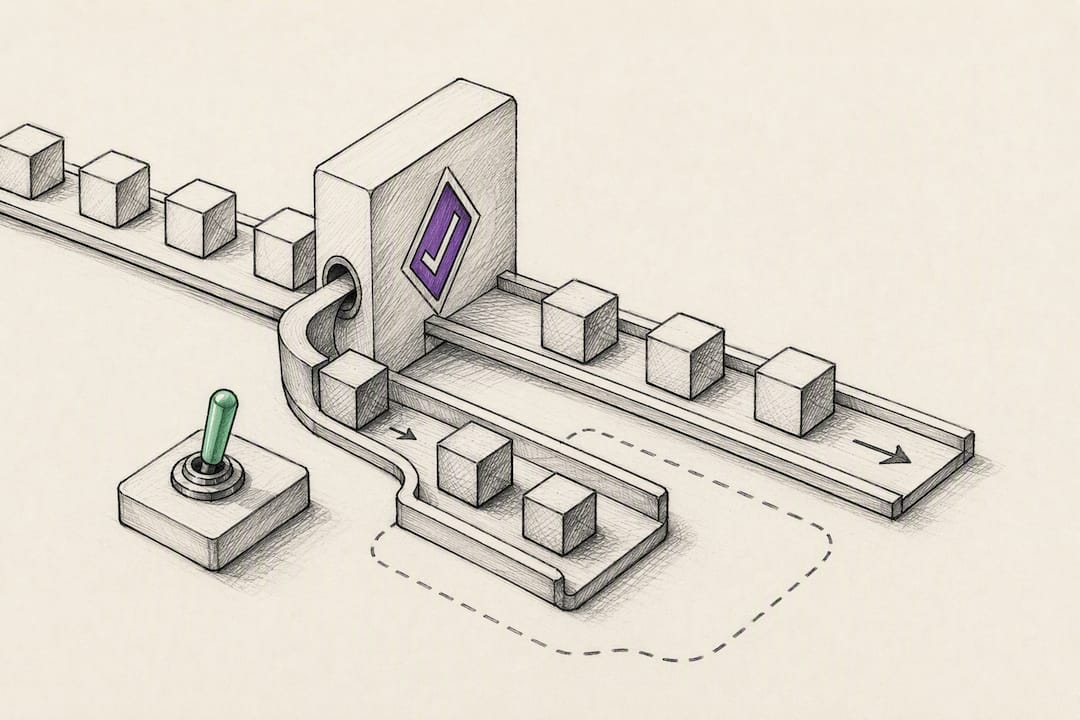
Feature flags can help control exposure when an automation can be safely enabled or disabled. They are useful for staged rollout, but they do not replace data validation, idempotency, safe migrations, permissions, or a recovery plan.
How to Choose and Prioritize Automation Projects
Not every manual process deserves automation. The first project should demonstrate useful value without creating an unnecessarily difficult technical or operational problem.

Score candidate processes against the following factors:
- Frequency: How often does the work happen?
- Effort: How much time does each instance require, and how much of that effort is repetitive?
- Error exposure: What happens when the process is completed incorrectly or inconsistently?
- Rule clarity: Can the decision be described in stable rules, or does it depend heavily on judgment?
- Data quality: Are the inputs structured, available, and sufficiently consistent?
- Observability: Can the team detect whether the automation worked?
- Reversibility: Can a mistake be undone or isolated?
- Implementation effort: What systems, permissions, integrations, and stakeholders are required?
- Ownership: Is there a team prepared to operate the automation after launch?
For example, suppose a finance team manually matches 400 invoices each month and spends approximately 10 minutes on each invoice. That represents roughly 66.7 hours of manual work per month before accounting for interruptions, rework, or exception handling.
The process may be a good automation candidate if the matching rules are clear, the source data is accessible, unmatched invoices can be routed to review, and the result can be reconciled against the underlying records.
By contrast, vendor contract-risk assessment may happen only a few times a year and depend heavily on context and professional judgment. It may still benefit from search, extraction, or review assistance, but a fully autonomous workflow may not be the right first project.
High-frequency work is not automatically safe to automate. A frequent process with poor data, unclear ownership, or irreversible consequences may be a worse candidate than a lower-volume process with clear rules and reliable recovery.
A Practical Automation Prioritization Framework
| Candidate characteristic | Favorable indication | Warning sign |
|---|---|---|
| Frequency | Occurs regularly and consumes repeated effort | Rare event with little accumulated effort |
| Decision logic | Rules are stable and explainable | Outcome depends on undocumented judgment |
| Inputs | Data is structured, available, and consistent | Records are incomplete, ambiguous, or frequently changing |
| Failure impact | Errors can be detected and corrected | Errors are difficult to discover or irreversible |
| Ownership | A team can operate and maintain the workflow | No one is accountable after implementation |
This framework is deliberately practical. It helps teams avoid choosing a project solely because it is visible, technically interesting, or easy to demonstrate.
Implementation Checklist: Governance, Testing, Rollout, and Maintenance
Good automation projects often feel slower at the beginning because the team is identifying edge cases, clarifying ownership, and deciding what should happen when the process does not behave as expected. That work is part of building the system, not a distraction from it.
Before the Build
- Define the business outcome and the process boundary.
- Document acceptance criteria and important exceptions.
- Identify the systems, data sources, users, and permissions involved.
- Confirm what the automation may do and what still requires human review.
- Define ownership, escalation, and support responsibilities.
- Agree on how success and failure will be measured.
During the Build
- Keep automation definitions, configuration, and code in version control.
- Design for idempotency so repeated delivery does not create duplicate outcomes.
- Validate inputs before taking consequential actions.
- Use structured logs and meaningful correlation identifiers.
- Write unit, integration, and workflow-level tests appropriate to the risk.
- Test unavailable dependencies, malformed data, retries, duplicates, and partial failure.
- Connect the workflow to CI/CD so changes are tested before release.
During Release
- Deploy to a controlled environment before production.
- Start with a limited set of records, users, teams, or regions where possible.
- Define the health signals and thresholds before enabling the workflow.
- Route alerts to someone who can take action.
- Document and test rollback, disablement, replay, or manual recovery.
After Release
- Review success rate, exception rate, processing time, and manual intervention.
- Inspect exceptions for patterns rather than treating every item as an isolated failure.
- Schedule dependency, credential, and rule reviews.
- Keep runbooks and ownership information current.
- Maintain a prioritized technical-debt backlog with time allocated for remediation.
- Review whether the automation is still delivering more value than it costs to operate.
Teams building on platforms such as Directus should apply the same discipline to flows and integrations. Our guide to production-grade Directus flow architecture covers why instrumentation, staged rollout, and recovery should be considered before a workflow reaches production.
How to Measure Automation Success
Automation should be measured in two categories: value delivered and system reliability. Measuring only time saved can hide a workflow that is fast but wrong. Measuring only technical uptime can hide a workflow that runs successfully but does not improve the business process.
Value Metrics
- Time spent per transaction before and after automation
- Cycle time from process initiation to completion
- Manual interventions per transaction
- Error rate compared with the previous process
- Cost per transaction or case handled
- Volume processed without proportional staffing growth
Reliability Metrics
- Successful completion rate
- Exception rate and exception categories
- False-positive and false-negative rates where classification is involved
- Mean time to detect a failure
- Mean time to recover or safely replay a failed item
- Duplicate or reconciliation failures
- Time since the last ownership, dependency, or rule review
Observability should support these measurements. Useful controls may include:
- Structured logs for every important state transition
- Correlation identifiers across systems
- Dashboards that show trends, exceptions, and business outcomes
- Alerts tied to conditions that require action
- Reconciliation reports comparing source activity with automation outcomes
A dashboard nobody reviews creates false confidence. Every important metric should have an owner, a decision it supports, and a response path when it moves outside an acceptable range.
Automation Architecture and Delivery
Have a manual process that is expensive, repetitive, or difficult to control?
We can help assess whether it is a good automation candidate, define the right-sized workflow, and design the validation, observability, ownership, and recovery controls around it.
Explore Custom Software Development → Talk Through Your Workflow →
Common Automation Risks and Technical Debt
Automation does not remove complexity. It moves complexity into code, configuration, integrations, data, operating procedures, and ownership. Without maintenance, the automation can become more fragile than the manual process it replaced.
Legacy System Fragility
Automating on top of a brittle or undocumented legacy process may move the fragility up one layer rather than removing it. The team should identify which assumptions the automation is making and decide whether the underlying system needs remediation, containment, or closer monitoring.
Undocumented Manual Validation
People often perform quiet checks that are not represented in the formal process. If automation removes those checks without replacing them with explicit validation, it can create a silent control gap.
Before automating a manual task, ask experienced operators what they look for that is not written in the procedure. Those observations may become validation rules, exception conditions, or human-review steps.
Regulated and High-Impact Workflows
In regulated, safety-sensitive, or financially significant environments, automation may require formal validation, approval, qualification, auditability, retention, and change-control practices. Those requirements should shape the architecture from the beginning rather than being treated as documentation added after implementation.
Black-Box AI Automation
AI-driven automation becomes risky when the team cannot explain which inputs influenced an action, which permissions were available, or how to stop and correct an incorrect outcome. AI can assist with classification, extraction, and decision support, but high-impact actions need boundaries and traceability.
Automation Drift
Rules, APIs, data formats, teams, and business processes change. An automation that worked correctly at launch may gradually become less reliable if nobody reviews its assumptions.
Use scheduled health checks, dependency monitoring, representative test cases, and a technical-debt backlog to identify drift before it becomes an incident. Our article on balancing automation with human oversight explores why the right level of human involvement depends on the consequences of being wrong.
Ridiculous Engineering’s Approach to Automation
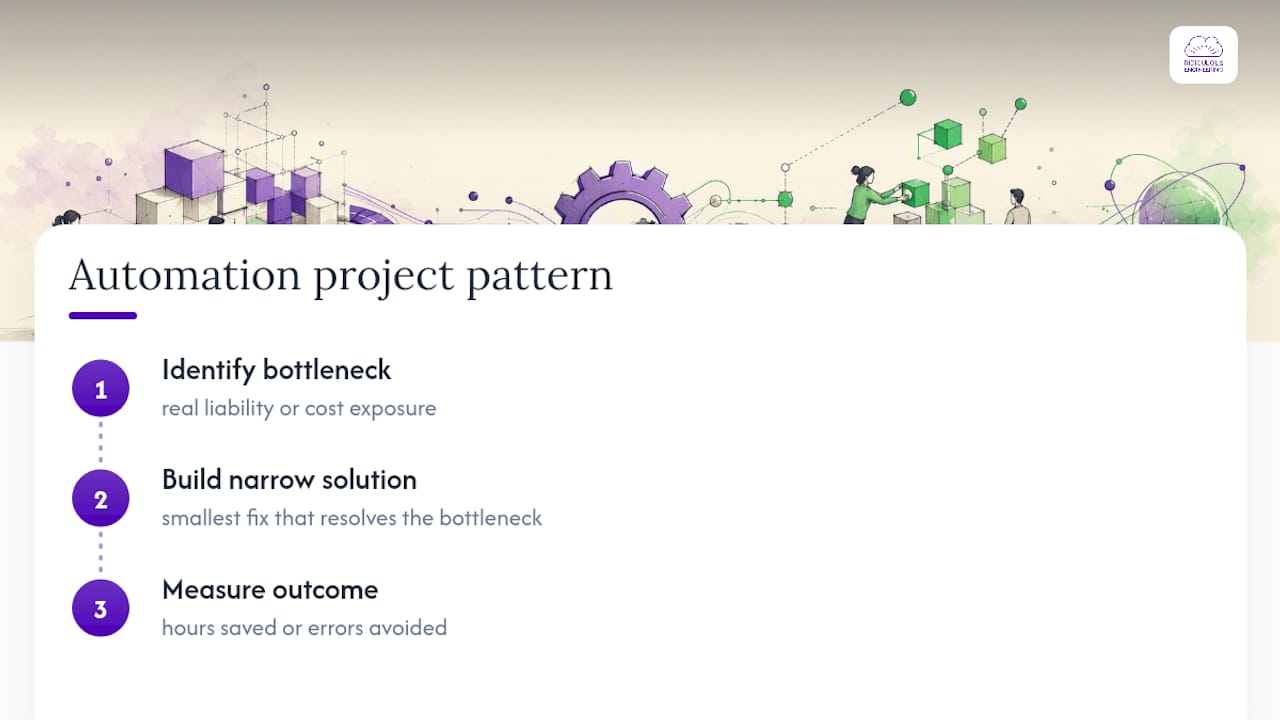
The strongest automation projects usually begin with a bottleneck that has a meaningful cost, liability, delay, or error pattern. The team then builds the narrowest solution that improves that bottleneck, measures the outcome, and expands only when the evidence supports further investment.
That approach applies across order-to-cash workflows, internal operations, content platforms, data processes, and engineering delivery. For example, our work around sales order automation focuses on validated, observable movement between business systems rather than simply replacing one manual click path with another.
We also help teams evaluate business workflow automation platforms before committing to a tool or custom build. The right answer may be a platform configuration, a custom service, an AI-assisted workflow, or a hybrid approach.
The priorities remain consistent: measurable outcomes, maintainability after handoff, clear ownership, safe failure, and no black boxes the client cannot operate without us.
How Ridiculous Engineering Can Help
Ridiculous Engineering helps organizations decide what should be automated, what should remain human-led, and what technical foundation is required for the workflow to operate reliably.
That may involve designing custom automation, modernizing brittle validation logic, integrating business systems, connecting CI/CD, improving observability, or adding human-review paths to an AI-assisted workflow. We can also help assess whether an existing no-code or automation platform is sufficient before the organization commits to a larger engineering program.
The goal is not to automate everything. It is to make the right process simpler, more reliable, and easier to operate.
Right-Sized Automation
Have a process that should be easier to run?
Bring the workflow, the systems involved, and the failure points your team is tired of managing. We can help determine whether automation is appropriate and what a dependable first step looks like.
Explore Custom Software Development → Start a Conversation →
FAQ
What makes automation good rather than merely functional?
Good automation performs a defined job reliably across realistic variation, creates low-noise alerts, leaves an auditable trail, and fails safely instead of silently corrupting data.
Which processes should a team automate first?
Start with frequent, repetitive, rule-based work where the inputs are available, the outcome is measurable, and exceptions can be routed to human review. Examples include invoice matching, approval routing, recurring data transfers, and repeatable engineering checks.
How do you know if an automation project is failing?
Look at both value and reliability. Warning signs include declining success rate, rising exception or manual-intervention volume, duplicate outcomes, increasing false positives, longer recovery time, and a gap between the expected business benefit and the actual result.
Why can good automation projects start slowly?
Early work often exposes undocumented rules, edge cases, data-quality problems, ownership gaps, and recovery requirements. Resolving those issues before release can reduce rework and production failures later.
Is AI-driven automation riskier than rules-based automation?
It can be when the AI system is allowed to make high-impact decisions without validation, traceability, permissions, or human escalation. AI-driven workflows should use deterministic checkpoints and clear boundaries around consequential actions.
Should automation always replace human work?
No. Automation is often most effective when it removes repetitive work while preserving human judgment for ambiguous, sensitive, or high-impact cases. A controlled exception queue can be better than forcing a system to decide every case.
How does Ridiculous Engineering approach automation projects?
Ridiculous Engineering starts with the bottleneck that has the clearest cost, risk, or operational impact. We then define a right-sized workflow with validation, observability, ownership, and recovery included, and measure success through outcomes such as time saved, errors avoided, and improved process reliability.