Best Business Workflow Automation Tools for 2026
Best Business Workflow Automation Tools for 2026 Business workflow automation connects your applications and executes repeatable tasks automatically, removing the manual handoffs that slow teams down and introduce errors.
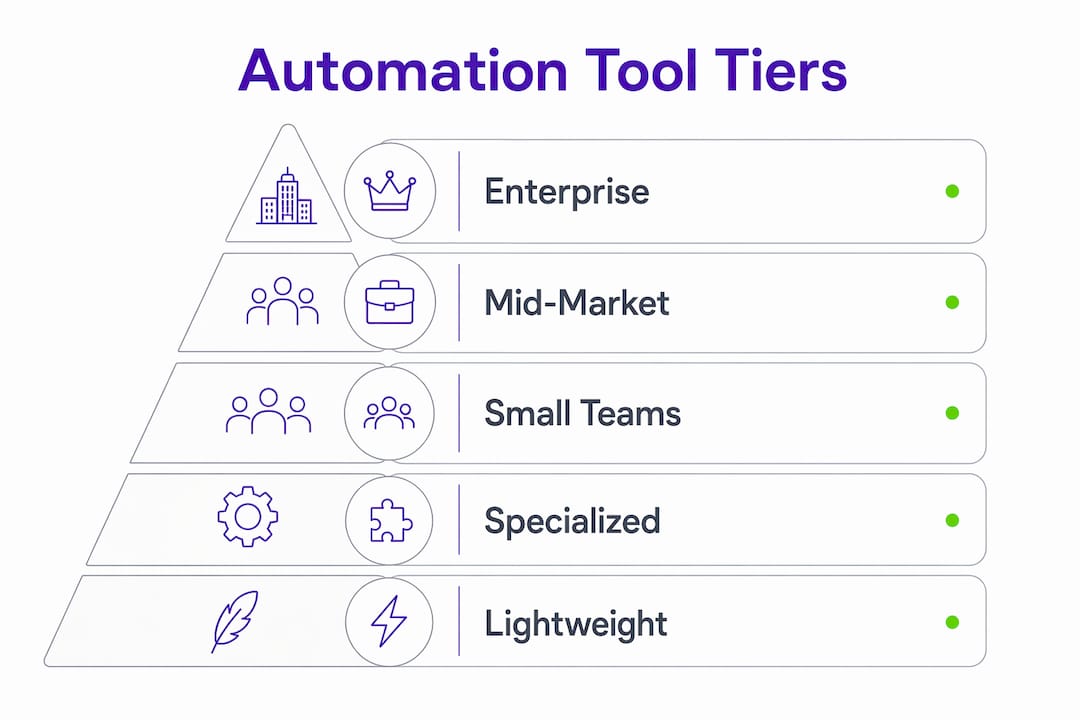
Business workflow automation connects your applications and executes repeatable tasks automatically, removing the manual handoffs that slow teams down and introduce errors. The tools that do this best in 2026 range from no-code platforms built for small teams to enterprise-grade orchestration suites that handle thousands of workflows across hundreds of systems. The table below gives you a fast orientation across the leading options before we go deeper.
| Tool | Best For | Key Features | Integrations | Ease of Use | Business Size |
|---|---|---|---|---|---|
| monday.com | Cross-functional teams | Visual boards, automation rules, templates | 200+ apps | Very easy | SMB to enterprise |
| Zapier | Simple app-to-app automation | Zaps, multi-step workflows, filters | 4,000+ apps | Very easy | Small teams |
| Microsoft Power Automate | Microsoft ecosystem | RPA, cloud flows, process mining | 1,400+ connectors | Moderate | Mid-market to enterprise |
| Make | Visual, modular automation | Visual canvas, AI modules, Make Grid | 1,000+ apps | Moderate | SMB to enterprise |
| Workato | Enterprise multi-layer automation | iPaaS, RPA, AI agents, governance | Thousands | Advanced | Enterprise |
| Nintex | Enterprise process orchestration | Document generation, workflow maps | Enterprise systems | Moderate | Enterprise |
| Kissflow | Low-code enterprise processes | Case management, no-code builder | 40+ apps | Easy | Mid-market to enterprise |
| ClickUp | Customizable task automation | Custom triggers, dashboards, docs | 1,000+ apps | Easy | SMB to enterprise |
| Smartsheet | Grid-style project workflows | Automated alerts, reporting, forms | 100+ apps | Easy | SMB to enterprise |
| Wrike | Marketing and project teams | Built-in templates, real-time collab | 400+ apps | Easy | SMB to enterprise |
| Jira Software | Software development teams | Issue tracking, workflow rules, sprints | Developer tools | Moderate | SMB to enterprise |
| Jira Service Management | IT and support teams | SLA automation, approval workflows | Atlassian suite | Moderate | SMB to enterprise |
| Confluence | Documentation-driven teams | Content automation, Jira integration | Atlassian suite | Easy | SMB to enterprise |
| Jira Align | Large-scale agile programs | Scaled agile, portfolio planning | Atlassian suite | Advanced | Enterprise |
| Bitbucket | Developer CI/CD pipelines | Pipeline automation, code review | Developer tools | Moderate | SMB to enterprise |
| Celigo | Multi-system data flows | ERP/SaaS connectors, AI error handling | 400+ apps | Moderate | Mid-market to enterprise |
| Nanonets | Document-heavy workflows | ML document extraction, OCR | 50+ apps | Easy | SMB to enterprise |
| Airtable Automations | Data-heavy custom workflows | Database automation, scripting | 60+ apps | Easy | SMB to enterprise |
| Cflow | SMB routine process automation | Drag-and-drop builder, templates | 100+ apps | Very easy | Small to mid-market |
| Kintone | No-code app and workflow building | App designer, automation rules | 50+ apps | Easy | SMB to mid-market |
| ProcessMaker | Enterprise BPM | Low-code design, process analytics | Enterprise systems | Moderate | Enterprise |
| Comindware | AI-enhanced adaptive BPM | Adaptive workflows, AI optimization | Enterprise systems | Moderate | Enterprise |
| altaFlow | AI-enhanced enterprise automation | Predictive analytics, AI workflows | Enterprise systems | Moderate | Enterprise |
| Next Matter | Complex process orchestration | Conditional logic, process templates | 50+ apps | Easy | Mid-market to enterprise |
| Moxo | Customer-facing regulated workflows | Secure client portals, compliance | CRM, finance apps | Easy | SMB to enterprise |
| Jotform Workflows | Form-driven data workflows | Form triggers, approval routing | 100+ apps | Very easy | SMB |
| Zoho Flow | Zoho ecosystem automation | Low-code builder, Zoho integrations | Zoho suite + 500+ | Easy | SMB to mid-market |
| Suretriggers | WordPress automation | Plugin triggers, marketing automation | WordPress ecosystem | Easy | Small teams |
| IFTTT | Basic consumer/business automation | Simple recipes, applets | 700+ services | Very easy | Small teams |
| Qntrl | Approval-heavy workflows | Visual drag-and-drop, notifications | 50+ apps | Easy | SMB to mid-market |
| ProProfs | Customer support knowledge workflows | Knowledge base, ticket automation | 50+ apps | Easy | SMB |
| Miro | Creative collaboration workflows | Whiteboard, automation connectors | 100+ apps | Easy | SMB to enterprise |
| Nifty | Agile project task automation | Milestone automation, timelines | 50+ apps | Easy | SMB to mid-market |
| Admation | Creative approval workflows | Asset review, approval routing | Marketing tools | Easy | SMB to enterprise |
| ProHance | Workforce productivity analytics | Analytics-driven automation, tracking | HR/ops tools | Moderate | Mid-market to enterprise |
| Process Bliss | Small team process clarity | Process docs, automation triggers | 20+ apps | Very easy | Small teams |
| Kissflow | Low-code enterprise processes | Case management, no-code builder | 40+ apps | Easy | Mid-market to enterprise |
| monday AI Work Platform | AI-powered workflow insights | AI recommendations, reporting | 200+ apps | Easy | SMB to enterprise |
Which business workflow automation software leads in 2026?
The honest answer: no single tool wins across every use case. The right platform depends on your team size, technical depth, existing stack, and whether you need simple app connections or full enterprise orchestration. That said, a few platforms consistently stand out for specific segments.

Zapier remains the default starting point for small teams. Its 4,000+ app integrations and no-code interface mean most teams can automate their first workflow in under an hour. The tradeoff is that Zapier was designed for linear, one-to-one connections. Long-running workflows with conditional logic or human-in-the-loop approvals push against its limits quickly.
Make addresses that gap with a visual canvas that externalizes every module, route, and error handler onto a single screen. Its Make Grid feature gives teams a live map of their entire automation environment, which matters enormously when you’re managing dozens of interdependent scenarios. For teams that have outgrown Zapier but aren’t ready for enterprise pricing, Make is the most natural next step.

Microsoft Power Automate is the default choice for organizations standardized on Microsoft 365. With more than 1,400 prebuilt connectors including Dynamics 365, SAP, and Salesforce, it covers most enterprise integration needs. Its desktop flows (RPA) handle legacy systems that lack APIs, and its process mining capability surfaces automation opportunities automatically.
Workato and Nintex serve the upper end of the enterprise market. Workato combines iPaaS, RPA, and AI agent orchestration in a single platform, making it the strongest choice for large organizations that need multi-layer automation with serious governance. Nintex adds document generation and deep integrations with enterprise content systems, which matters for legal, compliance, and operations teams.
For software development teams, the Atlassian suite covers most ground. Jira Software handles issue tracking and release workflows, Jira Service Management automates IT ticket routing and SLA enforcement, Confluence connects documentation to workflow triggers, Jira Align scales agile planning across large programs, and Bitbucket handles CI/CD pipeline automation. Using them together creates a coherent development lifecycle without stitching together separate vendors.
ClickUp and Smartsheet occupy the middle ground between simple task tools and full BPM platforms. ClickUp’s custom automation triggers and actions give teams flexibility without requiring a developer. Smartsheet’s grid-style interface appeals to project managers who think in spreadsheets but need automated alerts and reporting on top.
Celigo stands apart for organizations running complex multi-system data flows. Its deep ERP and SaaS connector library, combined with AI-assisted error handling, makes it particularly strong for lead-to-cash and order-to-fulfillment processes that span CRM, ERP, and finance systems.
For document-intensive workflows, Nanonets applies machine learning models to extract data from invoices, contracts, and forms, then routes that data downstream automatically. Admation handles the creative side, routing digital assets through review and approval cycles with automated notifications.
A few tools serve specific niches well. Moxo focuses on secure, compliant client engagement for regulated industries like financial services and healthcare. Kintone lets non-technical teams build custom workflow apps without writing code. Jotform Workflows connects form submissions directly to approval and notification chains. Qntrl visualizes approval-heavy processes clearly. Zoho Flow is the natural automation layer for teams already in the Zoho ecosystem.
Lighter-weight options include IFTTT for basic consumer-grade automation, Suretriggers for WordPress-centric marketing workflows, Process Bliss for small teams that need process documentation with simple triggers, and ProProfs for customer support teams automating knowledge base and ticket workflows.
Kissflow and ProcessMaker target enterprise process digitization with low-code interfaces. Both handle case management and multi-step approval workflows that go beyond what a simple integration tool can manage. Comindware and altaFlow add adaptive AI capabilities on top of BPM foundations, useful for enterprises where process logic changes frequently.
Miro and Nifty round out the list. Miro pairs visual collaboration with automation connectors, making it useful for creative and product teams. Nifty integrates task automation with milestones and timelines for agile project management.
ProHance takes a different angle entirely, focusing on workforce productivity analytics and using that data to surface automation opportunities. For operations leaders who want evidence before they automate, that data-first approach has real merit.
Key differentiators to keep in mind:
- No-code vs. enterprise scalability: Zapier, Cflow, IFTTT, and Process Bliss prioritize ease of use. Workato, Nintex, and ProcessMaker prioritize governance and scale. Most teams need to pick a lane.
- AI capabilities: monday AI Work Platform, altaFlow, Comindware, and Nanonets embed AI directly into workflow logic. Workato and Make support AI orchestration as a layer within broader automation.
- Ecosystem strength: Microsoft Power Automate wins inside Microsoft shops. Zoho Flow wins inside Zoho shops. Atlassian tools win for software development organizations. Choosing against your existing ecosystem adds integration overhead.
- Governance depth: Enterprise buyers need SSO, role-based access control, audit logs, and compliance certifications. Most SMB tools offer only basic access controls.
Pro Tip: Before committing to any platform, map your three highest-priority workflows end to end, including every exception path. Then test each shortlisted tool against those specific flows, not the demo scenarios vendors provide. The gaps show up fast.
What are the real benefits of automating business processes?
The biggest gains from workflow automation come not from speeding up individual tasks but from eliminating the gaps between them. When a deal closes in your CRM and a human has to manually create the invoice, send the welcome email, and provision the account, each handoff is a delay and a potential error. Automation removes those gaps entirely.
Operations leaders consistently find that high-frequency, high-manual-effort tasks like data entry, approval routing, and status updates yield the fastest, most measurable time savings. These are the right places to start.
Common workflow automation use cases by department:
- Sales: Lead routing from web forms, automated follow-up sequences, CRM pipeline updates when contract status changes, commission calculation and payment
- HR: Employee onboarding (IT provisioning, document signing, training assignments), PTO request routing, status updates on promotions or departures
- Finance: Invoice capture and approval routing, expense report processing, payment reconciliation between platforms like PayPal and QuickBooks
- IT: Service request intake and ticket routing, SLA monitoring, software provisioning for new hires
- Marketing: Content distribution across channels, feedback request triggers when tasks reach review stages, campaign engagement data syncing
- Customer support: Ticket categorization and routing based on keywords and sentiment, SLA-based escalation, knowledge base automation
Want concrete examples? See how we break down purchase order automation, invoice approval automation, and employee onboarding automation step by step.
The consistency benefit is underappreciated. Manual processes drift. People skip steps when they’re busy, apply rules inconsistently, or simply forget. Automation applies the same logic every time, which matters most in regulated industries where compliance depends on process fidelity.
Visibility improves as a byproduct. When workflows run through a centralized platform, every stakeholder can see where a request stands without sending a status email. That alone eliminates a category of coordination overhead that most teams don’t even track.
How to evaluate and select the right workflow automation software
Start with a process audit before touching any tool. List every recurring task your team performs, then classify each by frequency and manual effort. The highest-value automation candidates sit in the top-right quadrant: high frequency, high manual effort. Data entry, approval routing, status updates, and report generation almost always land there.
The most expensive mistake in automation is automating a broken process. If a workflow is inefficient, automating it makes it faster at being inefficient, and harder to fix because it’s now embedded in your tooling.
Questions to ask every vendor before committing:
- What governance controls do you provide? SSO, SCIM provisioning, granular role-based access control?
- Are audit logs tamper-evident and exportable to a SIEM? How long are they retained?
- What compliance certifications do you hold? SOC 2 Type II is a baseline; regulated industries need HIPAA, PCI-DSS, or FedRAMP.
- How do you handle long-running workflows with human-in-the-loop approvals?
- What does your error handling look like? Can failed steps retry automatically with backoff?
- What is the total cost of ownership, including implementation, ongoing operations, and support?
- Do you support multi-environment setups (dev, staging, production) with promotion controls?
When evaluating platforms, use four criteria from Make’s automation strategy framework: impact (does automating this reduce risk or cycle time?), stability (has the process been stable for at least four weeks?), observability (can you see when it runs and why it failed?), and hand-off quality (does the output create clean, structured data for downstream steps?).
The no-code vs. enterprise scalability tradeoff is real. No-code tools like Zapier, Cflow, and IFTTT let business users build automations without IT involvement, which accelerates early adoption. But they typically lack the governance, environment separation, and bulk operation capabilities that enterprise automation requires. Most organizations that start on no-code tools eventually hit a ceiling and need to migrate, which is expensive. If you’re already mid-market or enterprise, evaluate platforms that can grow with you from day one.
Successful automation also requires detailed documentation for every workflow: what it does, what triggers it, which systems it touches, and who owns it. Without documentation, automations become black boxes that break silently and nobody knows how to fix.
Pro Tip: Prefer platforms with modular architecture and visual workflow maps. When a dependency changes or an API breaks, a visual canvas lets you find the affected scenario in seconds rather than hours. Make’s visual canvas and Workato’s recipe editor both do this well.
Enterprise workflow automation architecture and ROI
Enterprise automation is a four-layer stack: orchestration, integration, AI agents, and governance. A platform strong on three layers but weak on the fourth creates problems at scale.
| Layer | What it does | Why it matters |
|---|---|---|
| Orchestration | Manages long-running, multi-step, stateful workflows | Handles parallel branches, retries, human approvals, and saga patterns |
| Integration | Connects systems of record via APIs, events, and databases | Covers 1,000+ SaaS connectors, REST, GraphQL, EDI, and legacy systems |
| AI Agents | Goal-directed reasoning across tools and data | Classifies inputs, makes decisions, escalates edge cases to humans |
| Governance | Controls who builds, runs, and monitors what | SSO/SCIM, granular RBAC, audit logs, data residency, approval gates |
Enterprise governance requirements are non-negotiable for regulated industries and large organizations. SAML/OIDC SSO is table stakes. SCIM provisioning is close behind. Audit logs need to be tamper-evident, exportable to a SIEM, and retained for at least 12 months. Without these controls, automation programs create shadow IT: workflows nobody can audit, access nobody can revoke, and failures nobody can trace.
The compliance baseline for most enterprises is SOC 2 Type II plus ISO 27001. Healthcare organizations add HIPAA and a Business Associate Agreement. Payment processors need PCI-DSS. Public sector organizations need FedRAMP. Ask vendors for their latest audit report and penetration test summary, not just a logo on a marketing page.
AI agents change the fundamental unit of automation. Traditional rule-based tools execute “if invoice arrives, send to approver.” An AI agent reads the invoice, classifies it, routes it to the correct approver based on policy, flags anomalies, and escalates only the edge cases. According to Gartner’s 2026 survey, 69% of enterprises are running AI agents in production, representing a significant shift from rule-based to goal-directed automation. That shift from deterministic rules to goal-directed execution is the most significant change in enterprise automation in a decade.
For ROI modeling, the inputs are straightforward: labor hours reclaimed per workflow per week, multiplied by the number of workflows, multiplied by the fully loaded hourly cost of the people doing that work, minus platform licensing and implementation costs. Workflows that save significant staff time can generate substantial labor cost savings, leading to quick returns on enterprise automation investments. The AI and automation impact on operations compounds as teams identify more candidates from their initial wins.
What’s coming next in workflow automation
The most consequential shift already underway is the move from rule-based automation to goal-directed AI agents. As noted above, 69% of enterprises now run at least one AI agent in production. The platforms that will lead in 2026 and beyond are those that integrate AI natively into the orchestration layer rather than bolting it on as a separate product.
Trends shaping the next phase of workflow automation:
- Embedded AI in workflow tools: monday AI Work Platform, altaFlow, Comindware, and Nanonets already embed AI directly into workflow logic. Expect this to become standard across the category within two years.
- No-code platform maturation: Tools like Cflow, Kintone, and Kissflow are adding more sophisticated conditional logic and governance features, closing the gap with enterprise platforms. The growth of low-code and AI platforms is democratizing automation beyond IT teams.
- Automation governance as a discipline: As automation programs scale, governance becomes a dedicated function. Expect dedicated roles, audit tooling, and compliance frameworks specifically for automation programs.
- Observability and error handling: Platforms that surface failures clearly and recover automatically will differentiate from those that fail silently. Make Grid and similar real-time environment maps are early examples of this direction.
- AI data pipeline integration: As workflows increasingly involve machine learning models, the boundary between AI data workflows and business process automation is blurring. Teams building AI-powered products will need automation platforms that can orchestrate model training data, inference calls, and downstream business actions in a single workflow.
- Security as a first-class concern: AI agents introduce new attack surfaces. The OWASP Agentic AI security risks for 2026 include prompt injection, excessive agency, and insecure tool access, all of which require governance controls that most current platforms are still building.
The organizations that will get the most from automation in the next three years are those treating it as a strategic capability, not a collection of individual tools. That means dedicated ownership, documented workflows, measured outcomes, and a platform architecture that can grow without requiring a full rebuild.
Key Takeaways
The most durable lesson from enterprise automation programs is this: the platform you choose matters less than the discipline you bring to auditing, documenting, and governing your workflows before and after you build them.
| Point | Details |
|---|---|
| Audit before automating | Map recurring tasks by frequency and manual effort; automate stable, high-impact processes first. |
| Governance is non-negotiable at scale | Enterprise programs need SSO, granular RBAC, tamper-evident audit logs retained 12+ months, and compliance certifications. |
| AI agents shift the paradigm | 69% of enterprises run AI agents in production in 2026, moving automation from rule-based to goal-directed execution. |
| Match the platform to your scale | No-code tools like Zapier and Cflow suit small teams; Workato, Nintex, and Power Automate serve enterprise orchestration needs. |
| Ridiculousengineering for custom needs | When off-the-shelf platforms don’t fit your processes, Ridiculousengineering designs and builds custom workflow automation tailored to how your organization actually operates. |
When off-the-shelf tools aren’t enough
Every platform in this guide solves real problems for the right organization. But off-the-shelf automation tools are built for the common case. If your processes are genuinely complex, your systems are legacy, or your workflows cross boundaries that no prebuilt connector covers, you’re spending more time working around the tool than using it.
Ridiculousengineering builds custom workflow automation and software for organizations where the standard platforms fall short. That means designing automation that fits your actual data model, integrating with systems that don’t have a prebuilt connector, and building governance into the architecture from the start rather than retrofitting it later. If you’re evaluating whether to buy or build, or if you’ve already bought and hit the ceiling, that’s exactly the conversation worth having. Ridiculousengineering also has Consus in beta, a proprietary workflow automation and AI orchestration product for teams that want something between a generic SaaS platform and a fully custom build.
Workflow Automation
Need workflow automation built for your processes?
From AI-powered workflows to fully custom builds – we design automation that fits your actual data model and systems.
FAQ
What is business workflow automation?
Business workflow automation uses software to execute repeatable, rule-based processes automatically when specific conditions are met, connecting applications and removing manual handoffs to reduce errors and save time.
Which workflow automation tool is best for small businesses?
Zapier and Cflow are the strongest starting points for small teams. Zapier connects more than 4,000 apps with a no-code interface, while Cflow offers pre-built templates and a drag-and-drop builder specifically designed for SMB routine processes.
What governance features do enterprise automation platforms require?
Enterprise automation governance requires SSO/SCIM provisioning, granular role-based access control, tamper-evident audit logs retained for at least 12 months, multi-environment support, and compliance certifications such as SOC 2 Type II and ISO 27001.
How do I know which processes to automate first?
Run a process audit listing every recurring task, then prioritize by frequency, manual effort, and error risk if done manually. High-frequency, high-manual-effort tasks like approval routing, data entry, and status updates deliver the fastest measurable time savings and build organizational confidence in automation.
When should a business build custom automation instead of buying a platform?
When your processes are genuinely complex, your systems lack prebuilt connectors, or your workflows require governance controls that standard platforms don’t support, custom automation built by a software engineering partner like Ridiculousengineering is often the more practical path.
Recommended
- Automation: A Strategic Tool – Balancing Efficiency and Human Creativity | Ridiculous Engineering
- AI and Automation Transforming Businesses: Small Wins to Big Gains | Ridiculous Engineering
- From Automation to Innovation: The New Roles Shaping the AI Era | Ridiculous Engineering
- Product Engineering: Think Like Machines, But Create Like Humans | Ridiculous Engineering