System Data Sync: An Operational Playbook for Engineering and Business Leaders
System Data Sync: An Operational Playbook for Engineering and Business Leaders System data synchronization is the continuous or scheduled process of propagating changes between two or more systems so every participant holds a consistent, agreed-upon view of the same data.
System data synchronization is the continuous or scheduled process of propagating changes between two or more systems so every participant holds a consistent, agreed-upon view of the same data. Use it when multiple systems must share live or near-live state over time. Choose migration instead when you need a one-time cutover, and choose replication when your goal is read-scale or disaster recovery rather than cross-system consistency.
Verdict: If your CRM, ERP, and data warehouse each hold a different version of the same customer record, you have a sync problem. The right fix starts with a sync-readiness checklist, not a tool purchase.
Before you read further, three things are worth confirming:
- You have identified which system owns the authoritative record for each data domain.
- You know whether your latency requirement is sub-second, minutes, or hours.
- You have a rollback plan if the sync pipeline produces corrupted or duplicated records.
Pro Tip: Run a field-level mapping exercise before evaluating any tool. Teams that skip this step spend weeks retrofitting schema differences after the pipeline is already in production.
Key Takeaways
Effective system data sync requires upfront governance decisions, not just tool selection. The conflict policy, ownership model, and monitoring strategy you define before writing code determine whether the pipeline stays reliable at month twelve.
| Point | Details |
|---|---|
| Declare ownership first | Assign an authoritative system per data domain before selecting any tool or writing any pipeline code. |
| Match timing to business need | Near-real-time CDC covers most enterprise use cases; reserve full event streaming for sub-second requirements. |
| Bulk operations need explicit handling | Bulk loads bypass change-tracking triggers unless configured otherwise, creating silent data drift. |
| Monitor reconciliation deltas | Connector health metrics alone miss data drift; add periodic record-count and checksum comparisons. |
| Ridiculous Engineering delivers end-to-end | From CDC pipeline architecture through governance programs and production monitoring, Ridiculous Engineering covers the full sync delivery lifecycle. |
Table of Contents
- What is system data sync, and which type fits your use case?
- How sync is actually implemented: methods and technologies
- Which architecture pattern should you build on?
- How do you resolve conflicts and govern the golden record?
- Implementation checklist: from design to rollback
- What should you monitor, and how do you catch problems early?
- Which tools and platforms handle data synchronization?
- Security, privacy, and compliance considerations
- Migration vs. sync vs. replication: which strategy fits?
- How Ridiculous Engineering approaches complex sync programs
- Sources
- FAQ
What is system data sync, and which type fits your use case?
The industry term is data synchronization, sometimes shortened to data sync. “System data sync” describes the same concept at the integration layer: keeping two or more application databases or services consistent without manual intervention. The choice of sync model depends on two independent axes: direction and timing.
Direction: one-way, two-way, and multi-way
One-way (push/publish) moves changes from a single source to one or more targets. The source is authoritative; targets are read-only consumers. This is the simplest model and the right default when one system clearly owns the data, such as pushing confirmed orders from an ERP to a fulfillment warehouse.
Two-way (active-active) allows changes to originate in either system and propagate to the other. CRM-to-ERP account sync is the canonical example: sales reps update contacts in Salesforce, finance updates billing addresses in the ERP, and both need to stay current. Two-way sync introduces conflict risk the moment both sides change the same record before the next sync cycle.
Multi-way and hybrid extend the pattern to three or more systems, or combine one-way and two-way flows within the same pipeline. An HR platform might push headcount data one-way to finance while syncing employee profiles two-way with an identity provider. Complexity grows quickly here, and governance overhead grows with it.
Timing: real-time, near-real-time, and batch
| Timing model | Typical latency | Best fit |
|---|---|---|
| Real-time / sub-second | Under 1 second | POS inventory, financial trading feeds, live collaboration |
| Near-real-time | Seconds to minutes | CRM-ERP account sync, logistics tracking |
| Scheduled batch | Minutes to hours | Analytics pipelines, nightly reporting, archive sync |
Real-time sync carries the highest infrastructure and operational cost. Batch is cheaper and simpler but produces stale windows your business users will eventually notice. Near-real-time, typically achieved with CDC or event streaming, hits the practical sweet spot for most enterprise integration work.
Pro Tip: If a business stakeholder says they need “real-time” sync, ask what decision they make with that data and how stale it can be before it causes a problem. The answer is almost always “five minutes is fine,” which opens the door to a far simpler near-real-time design.
How sync is actually implemented: methods and technologies
Five primary methods cover the vast majority of production sync work. Each has a distinct latency profile, source-system impact, and failure mode.
Change data capture (CDC)
CDC reads the database transaction log rather than querying tables, so it captures every insert, update, and delete with minimal load on the source. A typical pipeline looks like this:
Source DB transaction log
  → CDC connector (e.g., Debezium)
    → Message broker (e.g., Apache Kafka topic)
      → Sink connector
        → Target system
Debezium is the most widely deployed open-source CDC connector. It supports PostgreSQL, MySQL, SQL Server, MongoDB, and others, and publishes change events to Kafka topics with schema information embedded via Confluent Schema Registry or Apicurio. Apache Kafka provides the durable, ordered log that decouples the source from every downstream consumer, so you can add a new analytics sink without touching the source pipeline.
One critical caveat: bulk operations often bypass change-tracking triggers unless options like FIRE_TRIGGERS are explicitly set. A nightly bulk load that skips triggers can create silent data drift that your monitoring may not catch promptly.
API and webhook-based sync
Polling an API on a schedule is the simplest approach and the most common source of rate-limit violations. Webhooks invert the model: the source system pushes a notification when a change occurs, and your integration layer processes it. Webhooks are faster and cheaper on API quota, but they require a reliable endpoint, retry logic, and idempotency keys so duplicate deliveries don’t create duplicate records.
ETL/ELT and batch jobs
Extract-Transform-Load (ETL) and its modern variant ELT remain the right choice when freshness requirements are measured in hours rather than seconds. Tools like dbt, Apache Airflow, and Fivetran handle the scheduling, transformation, and lineage tracking that batch pipelines need. The cost advantage over streaming is real: you pay for compute only during the job window, not continuously.
Event streaming (Kafka-style)
Event-streaming approaches work best when sub-second freshness and ordering are business-critical, but they come with higher operational cost and a steeper learning curve. Kafka guarantees ordering within a partition, supports replay from any offset, and scales to millions of events per second. The tradeoff is that you now operate a distributed log, which requires its own monitoring, retention policies, and consumer-group management.
Key insight: A minimal ordering service plus local replay can guarantee convergence without complex CRDT logic, but it requires deterministic transaction functions and careful replay semantics. Adobe’s data-sync package demonstrates this pattern in production: it assigns canonical ordering and supports optimistic local transients with server-committed replay, achieving convergent multi-client state without the overhead of a full CRDT implementation.
File-based transfer
For bulk binary data, archive exports, or legacy systems that expose no API, file-based transfer remains practical. AWS DataSync handles large-scale transfers with encryption in transit and end-to-end integrity validation, making it a strong choice for regulated data movement between on-premises storage and cloud. For peer-to-peer file sync, rsync is the standard Unix-world tool, though teams should track its security releases carefully.
Method comparison
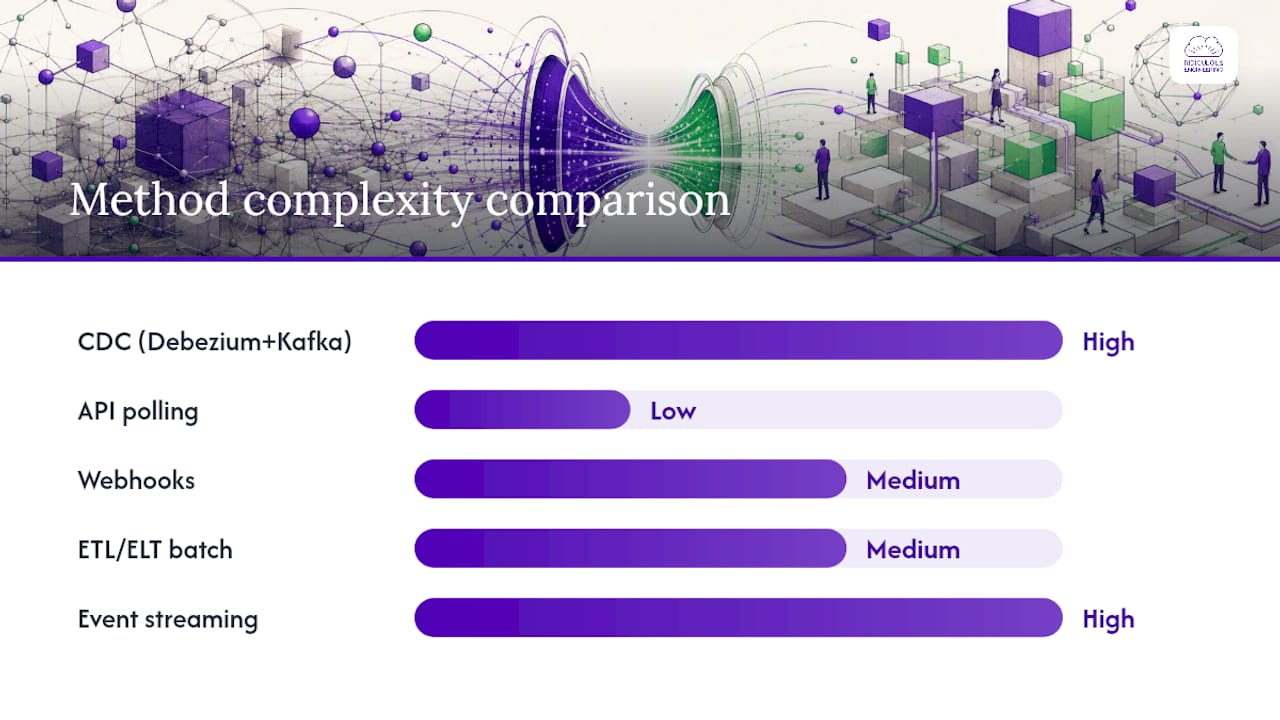
| Method | Latency | Source impact | Complexity | Common failure mode |
|---|---|---|---|---|
| CDC (Debezium + Kafka) | Sub-second to seconds | Low (log read) | High | Log retention gaps, bulk-load bypass |
| API polling | Minutes | Medium (query load) | Low | Rate limits, missed deletes |
| Webhooks | Seconds | Low | Medium | Duplicate delivery, endpoint downtime |
| ETL/ELT batch | Minutes to hours | Medium to high | Medium | Schema drift, job failures |
| Event streaming | Sub-second | Low | High | Consumer lag, partition skew |
| File transfer | Hours | Low | Low | Integrity failures, stale files |
Which architecture pattern should you build on?
The method you choose determines the data flow; the architecture pattern determines who owns what and how failures propagate. Four patterns cover most enterprise deployments.
Point-to-point
Each system connects directly to every other system it needs to share data with. Two systems: one connection. Five systems: up to ten connections. The math turns ugly fast, and every connection is a custom integration that a different team probably built. Point-to-point is acceptable for two or three tightly coupled systems where the team owns both sides. Beyond that, it becomes a maintenance liability.
Hub-and-spoke
One central hub mediates all data exchange. Spokes connect only to the hub, not to each other. Azure SQL Data Sync is a production example of this pattern: a hub database synchronizes with member databases on a configured schedule, with conflict resolution handled at the hub. The hub becomes a single point of failure, so high-availability configuration for the hub is not optional.
Middleware and iPaaS
An integration platform (MuleSoft, Boomi, Workato, IBM App Connect) sits between systems and handles transformation, routing, error handling, and retry logic. This pattern suits SaaS-heavy environments where you don’t control the source or target schemas. The platform vendor manages the connectors; your team manages the flows and governance. Workato’s recipe-based model and IBM’s enterprise-grade connector library are two well-established options in this space.
Architecture principle: Ownership of the canonical record must be declared before the first byte moves. If two teams each believe their system is the source of truth for the same field, no architecture pattern resolves that conflict automatically.
Event-driven and streaming
Apache Kafka or a managed equivalent (Confluent Cloud, Amazon MSK) acts as the durable log. Producers publish events; consumers subscribe independently. This pattern decouples producers from consumers completely, supports replay, and scales horizontally. Adobe’s ordering-server model shows how a lightweight variant of this pattern achieves convergent state for real-time multi-user sync without a full Kafka deployment. The operational cost is real: you need schema governance, consumer-group monitoring, and retention policies from day one.
For peer-to-peer scenarios where central storage is undesirable, Syncthing offers a decentralized, encrypted model, though it trades central control for complexity in conflict resolution and auditability.
Pro Tip: Choose hub-and-spoke when you need a simple audit trail and a clear conflict owner. Choose event-driven when you need sub-second latency across more than three consumers. Everything in between is usually a good fit for iPaaS.
Pattern fit summary
| Pattern | Best for | Failure isolation | Ownership model |
|---|---|---|---|
| Point-to-point | 2–3 tightly coupled systems | Poor | Each team owns its connection |
| Hub-and-spoke | Centralized governance, SQL workloads | Hub is single point of failure | Hub team owns conflict rules |
| Middleware / iPaaS | SaaS-heavy, heterogeneous systems | Good (platform handles retries) | Platform team + flow owners |
| Event-driven / streaming | High-throughput, sub-second, many consumers | Excellent (consumer independence) | Platform team + schema registry |
How do you resolve conflicts and govern the golden record?
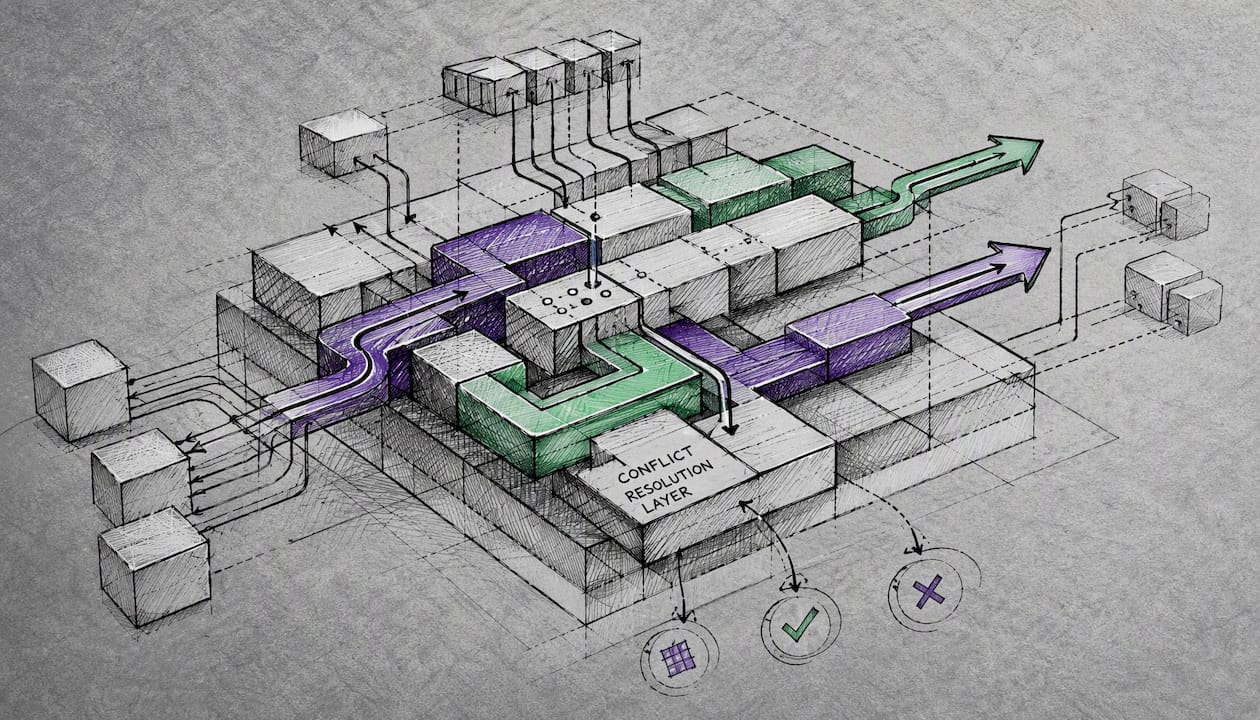
Conflict resolution is where sync projects most often fail in production. Two systems update the same record before the next sync cycle, and the pipeline has to decide which version wins. The decision you make here has downstream consequences for every team that relies on that data.
Common conflict policies
Last-writer-wins (LWW) applies a timestamp or sequence number and keeps the most recent change. Simple to implement, but it silently discards legitimate updates when clocks are skewed or when a slow network delivers an older change after a newer one.
Hub wins / Member wins are the two policies Azure SQL Data Sync exposes. “Hub wins” means the hub database’s version always overwrites member changes on conflict. “Member wins” does the reverse. Neither is universally correct; the right choice depends on which system your business trusts most for a given data domain.
Source-of-truth per domain assigns ownership at the field or entity level. Customer billing address is owned by the ERP; customer contact preferences are owned by the CRM. Conflicts within a domain go to the designated owner; cross-domain conflicts don’t exist by definition. This is the most durable policy, and the hardest to implement without upfront governance work.
The golden record approach
A golden record is the single agreed-upon version of an entity, assembled from the most trustworthy fields across all contributing systems. Operationalizing it requires three things: a data steward who owns the reconciliation decision for each domain, a schema that explicitly marks which system is authoritative per field, and a scheduled reconciliation run that compares the golden record against all contributing systems and flags divergence.
Conflict resolution decision matrix
| Business priority | Recommended policy | Risk to manage |
|---|---|---|
| Freshness above correctness | Last-writer-wins | Clock skew, out-of-order delivery |
| Correctness above freshness | Source-of-truth per domain | Latency, cross-domain mapping |
| Throughput above either | Hub wins (simple rule) | Overwritten legitimate member updates |
| Auditability required | Field-level versioning + audit log | Storage cost, query complexity |
Pro Tip: Research on conflict management from Harvard’s Program on Negotiation consistently finds that collaborative, interest-based approaches produce more durable agreements than rigid rules. Apply the same logic to sync governance: when two teams dispute ownership of a data field, facilitate a conversation about what each team actually needs from that field rather than imposing a technical rule. The resulting policy will survive longer and generate fewer escalations.
When teams treat conflict resolution as a negotiation problem, they produce more durable governance than relying on last-writer-wins alone.
Governance checklist
- Assign a named data steward per domain with documented authority to resolve disputes.
- Define SLAs for sync freshness (e.g., CRM-to-ERP account sync within 5 minutes of change).
- Maintain an audit trail of every conflict resolution decision, not just the winning value.
- Schedule reconciliation runs at least daily; compare record counts and key field checksums.
- Document an escalation path for conflicts the automated policy cannot resolve.
Implementation checklist: from design to rollback
A sync project that skips design steps pays for it in production incidents. The checklist below covers the phases where teams most commonly cut corners.
Design phase
- Map every source and target system, including owner, schema version, and update frequency.
- Perform field-level mapping: identify type mismatches, nullable differences, and encoding inconsistencies before writing a line of code.
- Declare the authoritative system for every synced entity and field.
- Design for idempotency from the start: every sync operation should produce the same result whether it runs once or ten times.
- Define the conflict resolution policy per domain and document it in a shared decision record.
Engineering phase
- Implement schema evolution handling: use a schema registry (Confluent Schema Registry, AWS Glue Schema Registry) so consumers don’t break when a producer adds a field.
- Build retry logic with exponential backoff and a dead-letter queue for messages that fail repeatedly.
- Handle transactional semantics explicitly: decide whether you need exactly-once, at-least-once, or at-most-once delivery, and choose your transport accordingly.
- Test bulk-load paths separately. Bulk operations can bypass change-tracking triggers unless configured otherwise, creating silent drift.
- Implement rate-limit handling for API-based connectors: back off gracefully and surface quota exhaustion as a named error, not a silent failure.
Test plan outline
- Unit tests: validate transformation logic, field mapping, and conflict resolution rules in isolation.
- Integration tests: run against a production-like dataset; verify record counts, checksums, and latency against SLA targets.
- Chaos and failure tests: kill the message broker mid-batch, introduce network partitions, and verify the pipeline recovers without data loss or duplication.
- Cutover rehearsal: run the full cutover sequence in a staging environment at least twice before production.
Rollback and mitigation
- Use feature flags or sync-enable toggles so you can disable a pipeline without a code deploy.
- Take a snapshot of target systems immediately before cutover; keep it for at least one full reconciliation cycle.
- Design replay capability into the pipeline so you can reprocess events from a known-good offset.
- Define a rollback SLA: how long can the business tolerate running on stale data while you recover?
Pro Tip: The teams that recover fastest from sync failures are the ones that practiced the rollback before they needed it. Schedule a chaos drill in staging before your first production cutover.
What should you monitor, and how do you catch problems early?
Operational challenges common in sync projects include latency gaps, schema drift, duplicate records from retries, CDC lag, API rate limits, and stale data that business users detect before the engineering team does. Monitoring that only measures connector health misses most of these.
Essential metrics
- Sync lag: time between a change in the source and its arrival at the target. Alert when lag exceeds your SLA threshold.
- Success/failure rate: percentage of sync operations completing without error. A sudden drop is the earliest signal of a systemic problem.
- Throughput: events or records per second. Unexpected drops indicate upstream slowdowns or consumer lag.
- Duplicate count: records processed more than once. A rising duplicate rate signals missing idempotency or retry misconfiguration.
- Reconciliation delta: periodic comparison of record counts and key field checksums between authoritative systems. This is the metric that catches drift the connector-level metrics miss.
- Schema-change alerts: trigger on any DDL change to a synced table or topic schema.
Alerting thresholds and escalation
Start with these as sensible defaults, then tune based on your SLA:
- Lag exceeds 2x your SLA target for more than 3 consecutive minutes: page the on-call engineer.
- Error rate above 1% over a 5-minute window: automated retry; escalate to human if unresolved after 15 minutes.
- Reconciliation delta above 0.1% of total record count: open an incident and run a targeted reconciliation job.
- Schema change detected on a synced table: pause the pipeline, notify the owning team, and require a deliberate resume.
Observability instruments
Connector-level health checks are necessary but not sufficient. Add synthetic end-to-end transactions: inject a known test record into the source on a schedule and verify it arrives at the target within your SLA window. Add lineage tracing so you can trace any record back through every transformation it passed through. Audit logs should capture not just what changed but who or what system initiated the change.

Which tools and platforms handle data synchronization?
The tool category you need depends on your source and target systems, your latency requirement, and your team’s operational capacity. CDC and event streaming are the standard approaches for near-real-time sync; iPaaS platforms suit SaaS-to-SaaS integration; file tools handle bulk and binary transfers.
Tool category overview
iPaaS (Integration Platform as a Service): Workato, IBM App Connect, Skyvia, and MuleSoft Anypoint Platform all fall here. These platforms provide pre-built connectors for hundreds of SaaS applications, visual flow builders, and managed retry/error handling. Workato’s recipe model suits operations teams that need to build flows without deep engineering involvement. IBM App Connect brings enterprise-grade governance and a connector library that covers mainframe and legacy systems most iPaaS vendors ignore. Skyvia offers a lighter-weight, cloud-native option with strong support for database-to-cloud sync at a lower price point.
CDC and database replication: Debezium (open source, Kafka-native) and Azure SQL Data Sync (managed, hub-and-spoke) is the primary option for database-to-database sync. Debezium gives you full control and integrates natively with Apache Kafka. Azure SQL Data Sync trades flexibility for simplicity: configure a sync group, set a schedule, and the service handles the rest within the Azure ecosystem.
Event streaming: Apache Kafka (self-managed or via Confluent Cloud, Amazon MSK, or Azure Event Hubs) is the production standard for sub-second, high-throughput sync. Operational complexity is high; managed services reduce it significantly.
File and bulk transfer: AWS DataSync handles large-scale, secure file movement between on-premises and cloud with integrity validation. Rsync remains the standard for Unix-to-Unix file sync.
Evaluation dimensions
| Tool / category | Best for | Directionality | Timing | Deployment | Operational complexity | Cost model |
|---|---|---|---|---|---|---|
| Workato | SaaS-to-SaaS automation | One-way, two-way | Near-real-time | Cloud | Low (visual builder) | Per-recipe / consumption |
| IBM App Connect | Enterprise, legacy systems | One-way, two-way, multi | Near-real-time, batch | Cloud, on-prem, hybrid | Medium to high | License + consumption |
| Skyvia | DB-to-cloud, SaaS sync | One-way, two-way | Near-real-time, batch | Cloud | Low to medium | Subscription tiers |
| Apache Kafka + Debezium | DB CDC, high-throughput streaming | One-way, multi | Sub-second to seconds | Cloud, on-prem, hybrid | High | Infrastructure + ops |
| Azure SQL Data Sync | SQL Server / Azure SQL sync | Two-way (hub-spoke) | Near-real-time, batch | Cloud, hybrid | Low to medium | Azure consumption |
| AWS DataSync | Bulk file / storage migration | One-way | Batch, scheduled | Cloud, hybrid | Low | Per-GB transferred |
Pro Tip: For small environments (under 5 systems, SaaS-heavy), start with an iPaaS like Workato or Skyvia. For medium environments with a mix of databases and SaaS, add Debezium and Kafka for the database layer. For large-scale, sub-second requirements across many consumers, a fully managed Kafka service with a schema registry is the only architecture that holds up under load.
When the integration complexity outgrows what your team can maintain in-house, the decision to bring in an integrator pays for itself quickly. Ridiculousengineering’s systems integration and custom sync engineering work covers the full stack from architecture through production support.
Security, privacy, and compliance considerations
Security is where sync projects most often create unintended exposure. Data moving between systems crosses network boundaries, passes through connectors with stored credentials, and lands in targets that may have weaker access controls than the source.
Fundamental controls
- Encryption in transit: TLS 1.2 or higher on every connector, every hop. No exceptions for internal network segments.
- Authentication and authorization: use service accounts with least-privilege access. A sync connector that reads customer data should not have write access to financial tables.
- Key and secret management: store connector credentials in a secrets manager (AWS Secrets Manager, HashiCorp Vault, Azure Key Vault), not in configuration files or environment variables checked into source control.
- Secrets rotation: rotate connector credentials on a defined schedule and after any personnel change that had access to them.
Data minimization and regulated data
Sync only the fields you need. Syncing a full customer record when the target system only needs name and email doubles your exposure surface for no business value. For regulated data, the exposure surface is also a compliance surface.
U.S. healthcare data is subject to HIPAA obligations: any sync design that touches protected health information (PHI) must include encryption, access controls, and audit trails to support compliance. This applies to the pipeline itself, not just the endpoints. A Kafka topic that carries PHI is a PHI store and must be treated accordingly.
For non-healthcare regulated data, PCI DSS governs payment card data, and CCPA imposes data-subject rights obligations on California consumer data. Both have implications for how long synced data is retained and who can access it.
Security checklist
| Control | Applies to | Implementation note |
|---|---|---|
| TLS in transit | All connectors | Enforce minimum TLS 1.2; disable legacy cipher suites |
| Least-privilege service accounts | All connectors | Separate read and write accounts per pipeline |
| Secrets manager integration | All credential storage | Never store credentials in code or config files |
| Field-level masking | Regulated data (PHI, PCI) | Mask at the connector before writing to non-regulated targets |
| Audit logging | All pipelines | Log source, target, timestamp, record ID, and operation type |
| Secrets rotation schedule | All credentials | Minimum annual; quarterly for high-sensitivity pipelines |
| Data retention policy | All synced stores | Align retention to the most restrictive regulation that applies |
Migration vs. sync vs. replication: which strategy fits?
These three terms are often used interchangeably, but they describe fundamentally different strategies with different operational commitments.
Migration is a one-time, bounded operation: move data from system A to system B, validate it, and decommission A. The goal is a clean cutover. Tools like AWS DataSync and database-native export/import utilities handle this well. Migration is the right choice when you are retiring a system, not integrating it.
Replication copies data continuously from a primary to one or more replicas, typically for read-scale or disaster recovery. The replica is not an independent participant; it is a copy. PostgreSQL streaming replication and MySQL binlog replication are the standard mechanisms. Replication is the right choice when your goal is availability or read throughput, not cross-system data sharing.
Synchronization keeps two or more independent systems consistent over time. Each system may originate changes. Sync is the right choice when multiple applications need to read and write the same logical data domain, and none of them can be made subordinate to the others.
Decision flow
- Short-term cutover with system retirement: choose migration.
- Read-scale or disaster recovery within a single application stack: choose replication.
- Long-term consistency across independent systems: choose synchronization.
- Disaster recovery plus cross-system integration: combine replication for HA with sync for workload integration.
- Migrating to a new platform while keeping the old one live during transition: migrate first, then run sync in parallel until the cutover date, then decommission.
The data sharing gap between systems is almost always a governance problem before it is a technology problem. Choosing the right strategy early prevents months of rework.
How Ridiculous Engineering approaches complex sync programs
Teams that have mapped their sources, chosen an architecture, and written a conflict policy still face a hard problem: building and operating a production sync pipeline is engineering work, not configuration work. The difference between a pipeline that holds up under load and one that silently drifts shows up in the details: idempotency design, schema evolution handling, chaos testing, and monitoring that catches drift before business users do.
Ridiculous Engineering’s custom integration and sync engineering services cover the full delivery lifecycle: architecture design, CDC pipeline implementation, event-streaming infrastructure, governance program setup, test planning, and production monitoring. We work with the tools your team already uses or help you choose the right ones for your scale and constraints.
Practical outcomes clients can expect include reduced data drift, SLA-backed freshness guarantees, reproducible rollback procedures, and audit trails that satisfy regulatory review. We also help teams build the governance structures and cross-team agreements that keep pipelines healthy after the initial delivery.
If your team is planning a sync program or inheriting one that is already showing signs of drift, reach out to start a conversation. We will help you figure out what you actually need before recommending how to build it.
Sources
The sources below are worth bookmarking for deeper technical and regulatory reading:
- sql-data-sync-data-sql-server-sql-database?view=azuresql
- Conflict-Management Styles: Pitfalls and Best Practices - PON - Program on Negotiation at Harvard Law School
- Data synchronization tools keep information consistent across multiple systems, databases, and cloud environments automatically
- adobe/data sync (GitHub)
- AWS DataSync
- Health Insurance Portability and Accountability Act (HIPAA) - CDC
FAQ
What happens if I turn off sync?
Turning off a sync pipeline stops propagating changes between systems, so each system continues to accumulate updates independently. When you re-enable sync, the pipeline must reconcile the divergence, and depending on your conflict policy, some updates may be overwritten.
Why is my data not syncing between systems?
The most common causes are connector credential expiration, API rate-limit exhaustion, schema changes that break the pipeline, and bulk-load operations that bypass change-tracking triggers. Check connector logs and reconciliation deltas first.
Should sync be on or off by default?
On, for any integration where business operations depend on consistent data across systems. Off is only appropriate during planned maintenance, a rollback event, or a deliberate pause while a schema migration is applied.
How do I stop a sync pipeline safely?
Use a feature flag or sync-enable toggle to pause the pipeline without a code deploy, take a snapshot of the target system’s current state, and document the offset or checkpoint so you can resume from a known position without reprocessing or losing events.
What is the difference between CDC and ETL for sync?
CDC reads the database transaction log continuously and captures every change with low source impact, making it suitable for near-real-time sync. ETL queries the source on a schedule, which is simpler to operate but produces stale windows and adds query load to the source system during each run.