Internal Tools Development: A Practitioner's Guide for 2026
Internal Tools Development: A Practitioner’s Guide for 2026 The right approach to internal tools development is a deliberate hybrid: build the strategic pieces yourself, buy the commodity workflows, and use low-code or AI generators to prototype and accelerate everything in be...
The right approach to internal tools development is a deliberate hybrid: build the strategic pieces yourself, buy the commodity workflows, and use low-code or AI generators to prototype and accelerate everything in between. Nobody wins an award for hand-coding a data export tool that a $20-a-month connector already solves. Nobody survives an audit, either, on an AI-generated dashboard that has no access controls and no owner.
Before you write a line of code or open a low-code builder, get four things settled. Skip this step and you’ll spend the next six months rebuilding what should have taken six weeks.
-
Name an owner. Every internal tool needs a single person accountable for it, not a rotating cast of “whoever has time.”
-
Define the scope in one sentence. If you can’t describe what the tool does in one sentence, it’s not ready to build.
-
Pick the approach deliberately. Traditional code, low-code/no-code, or an AI app generator, chosen by the decision framework below, not by whichever tool a team member used last weekend.
-
Set security must-haves up front. SSO, role-based access, and audit logging are non-negotiable for anything touching customer data, financials, or PII, no matter how “internal” it feels.
-
Budget for maintenance, not just launch. Someone has to own patches, dependency updates, and the inevitable “can we add one more field” requests.
Pro Tip: Resist shiny-tool syndrome. The newest AI builder or low-code platform on the market is not automatically the right choice for your team’s third internal dashboard this quarter. Pick the tool that matches the job, not the one with the best demo video.
Key Takeaways
The most effective internal tools development strategy matches build, buy, or low-code/AI to each specific workflow using a repeatable decision framework rather than a single company-wide default.
| Point | Details |
|---|---|
| Use the four-question rubric | Assess workflow specificity, stability, integration cost, and ownership capacity before picking an approach. |
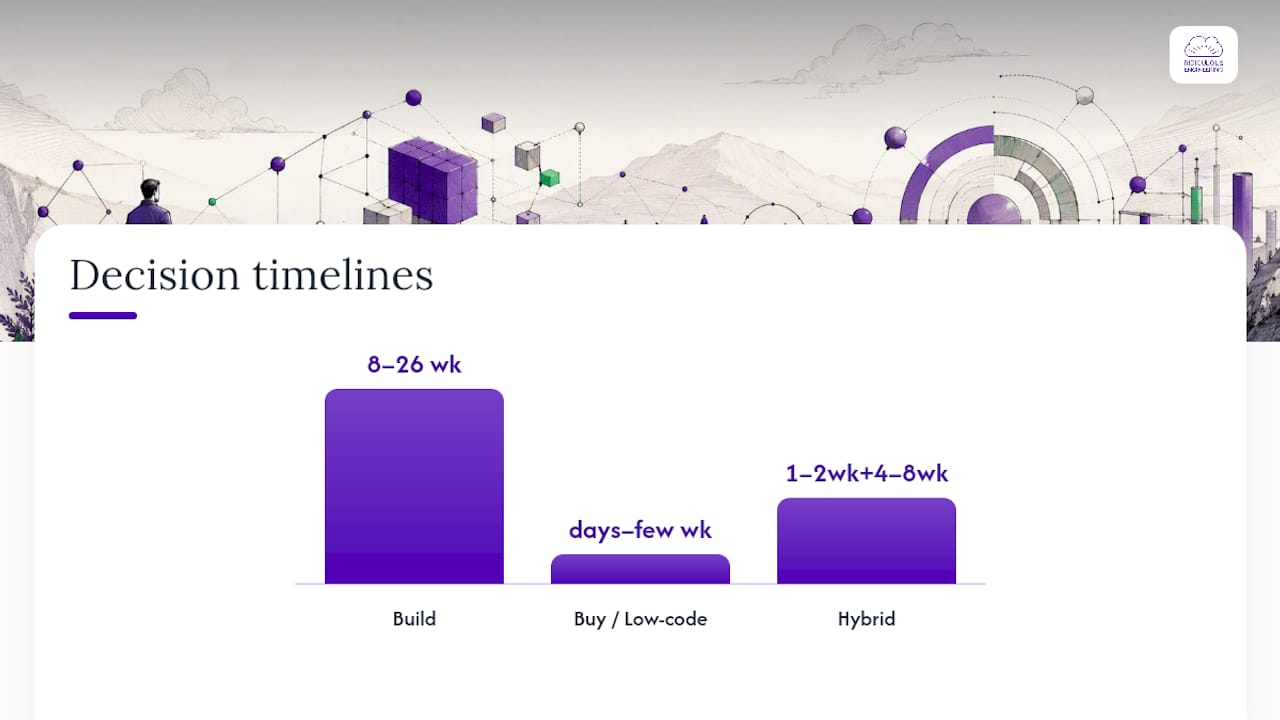
| Match approach to timeline needs | Code takes 6 to 16 weeks and full ownership; low-code and AI generators can ship in days but need review before scaling. |
| Data integration takes the most time | Budget more time for schema mapping, rate limits, and canonical source decisions than for the interface itself. |
| Security gates aren’t optional | Require SSO, RBAC, and audit logs on every internal tool touching sensitive data, regardless of build method. |
| Ridiculous Engineering scopes for ownership | The firm plans internal tools engagements around workflow fit, incremental delivery, and a clean handoff to the client’s own team. |
Table of Contents
-
What Is the Best Framework for Internal Tools Development Decisions?
-
How Do You Improve Adoption and Developer Experience for Internal Tools?
-
How Ridiculous Engineering Approaches Internal Tools Development
What Is the Best Framework for Internal Tools Development Decisions?
Most teams don’t lack tools. They lack a repeatable way to decide which tool fits which problem. Four questions, asked in order, will get you there faster than any vendor comparison spreadsheet.
1. How specific is the workflow? If the process is genuinely unique to how your business operates, a generic platform will fight you every step of the way. If it’s a version of something thousands of companies do (approvals, ticket routing, basic CRUD forms), you’re paying a premium to reinvent a solved problem.
2. How stable is the workflow? A process that changes weekly needs a flexible, fast-to-modify foundation. A process that hasn’t changed in three years and won’t change next year can justify heavier upfront engineering investment because you’ll get more mileage out of it.
3. What’s the integration cost? Count the systems the tool needs to touch. A tool that only reads from one API is a different project than one that has to reconcile data across five SaaS platforms and an on-prem database with different refresh rates.
4. What’s your ownership capacity? Who maintains this in a year? If the honest answer is “nobody, we’re already stretched thin,” that changes everything about which path makes sense, regardless of how clever the initial build is.
Run those four answers through this rubric:
-
High specificity + high stability + real ownership capacity → Build. This is where custom code earns its cost. Think a claims-adjudication engine for an insurance company, or a scheduling system tuned to a hospital’s exact staffing rules. Expect 2 to 6 months and costs that typically range from the low tens of thousands to well over $150,000 depending on complexity and integration count.
-
Low specificity + any stability + moderate ownership capacity → Buy or low-code. Standard workflows like expense approval, basic CRM, or document routing rarely justify custom engineering. Timelines run days to a few weeks; costs are mostly licensing, often moderate monthly fees per user.
-
High specificity + low stability + limited ownership capacity → Hybrid. Prototype fast in a low-code tool or AI generator to validate the workflow, then selectively harden the pieces that stabilize. Expect an initial prototype in 1 to 2 weeks, with a hardening phase of 4 to 8 weeks once the workflow proves out.
The mistake most teams make isn’t picking the wrong answer to one question. It’s skipping the exercise entirely and defaulting to whatever tool the loudest person in the room already knows.
Which Approach Fits Your Internal Application Design?
Every internal application design decision eventually comes down to three real paths, and the Superblocks build-vs-buy analysis makes a point worth repeating: the goal isn’t finding one best tool across your whole organization. It’s matching the right path to each individual use case.
Traditional code: full control, full commitment
Writing custom software gives you complete control over logic, performance, and how the tool evolves. This is the only real option when your workflow involves complex business rules, needs to scale to real production load, or has to integrate deeply with proprietary systems that no off-the-shelf connector understands.
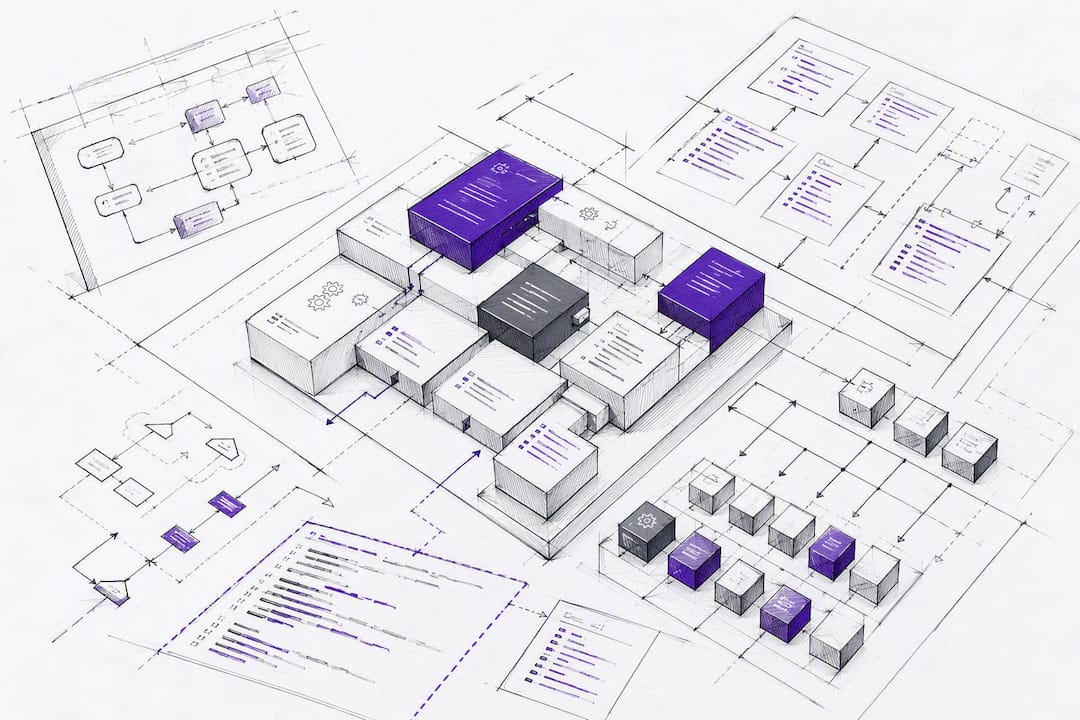
The cost is time and ownership. A properly built internal tool in code typically takes 6 to 16 weeks for a meaningful first version, and it needs ongoing engineering attention for the life of the tool. That’s the trade you’re making: more upfront investment, but you own the roadmap completely and you’re never blocked by a vendor’s release schedule.
Low-code and no-code: speed with guardrails
Platforms like Microsoft Power Apps let teams assemble forms, workflows, and simple database-backed apps without writing much traditional code, connecting to Microsoft services and enterprise data sources out of the box. Industry guidance on the enterprise low-code market from Gartner consistently flags the same trade-off: you get speed, but you inherit the platform’s constraints.
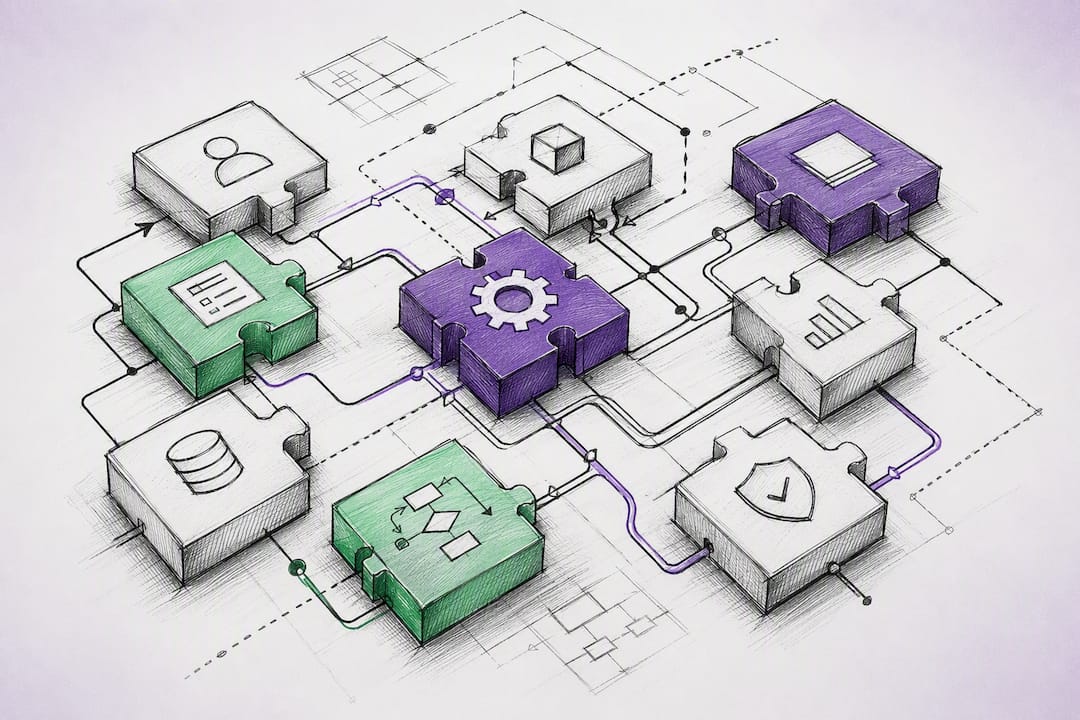
Low-code shines for approval chains, internal request forms, and lightweight dashboards. It gets uncomfortable fast when the workflow needs custom logic the platform doesn’t support, or when per-user licensing costs start climbing as adoption spreads. Industry benchmarking on low-code development speed generally shows builds compressing from weeks to days, but with real constraints around deep customization and a real risk of vendor lock-in if you don’t plan an exit path. Read more in our breakdown of low-code versus no-code trade-offs before committing a team to either.
AI app generators: the fastest first draft
AI-assisted builders can produce a working internal dashboard or CRUD app in hours, sometimes in a single day, for simple use cases. Practitioner writeups on shipping tools with AI generators document this speed directly, alongside a consistent caveat: these tools generate code fast, but someone still has to review it for security holes, data handling mistakes, and long-term maintainability before it touches real business data.
Treat AI-generated internal tools the way you’d treat a junior engineer’s first pull request. Fast, often surprisingly good, but it needs a second set of eyes before it ships to anyone outside your own laptop.
The hybrid pattern that actually works
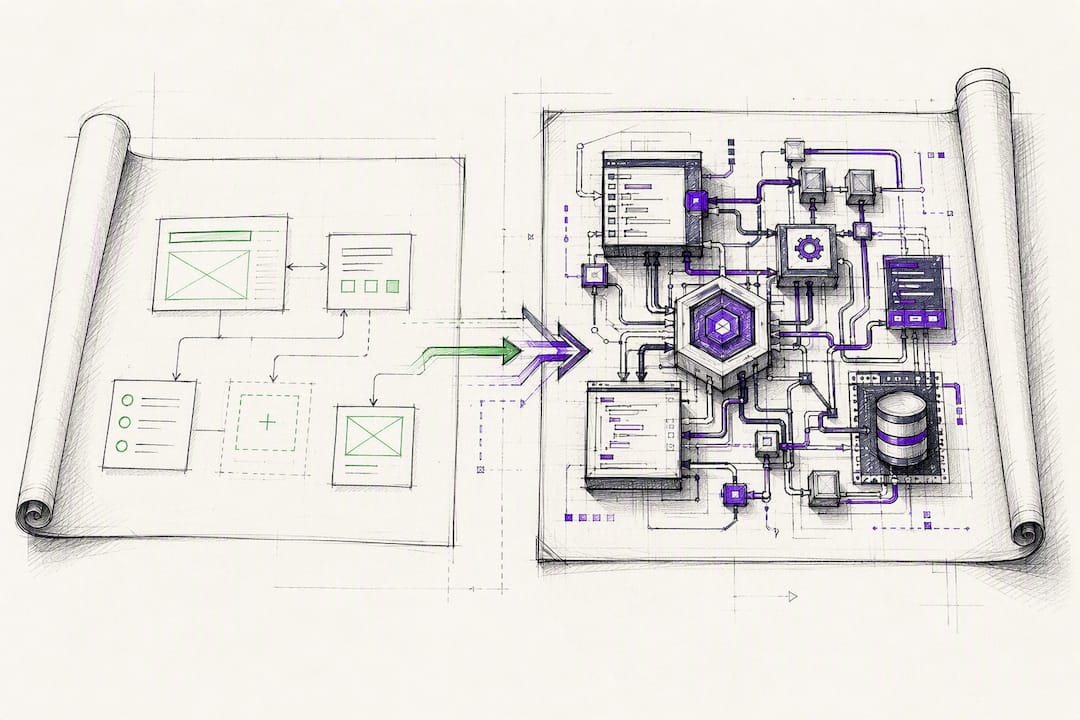
The strongest pattern we see across engagements: prototype in an AI generator or low-code tool to validate that the workflow is even worth building, then rebuild the pieces that prove durable in proper code. You get the speed of AI or low-code for the “is this worth doing” question, and the durability of code for the “this is now load-bearing” answer.
Pro Tip: Set a hard rule before you start prototyping: any tool that’s still in daily use after 90 days gets a code review and a maintenance owner assigned, whether it started as an AI experiment or not. Prototypes have a nasty habit of becoming permanent infrastructure by accident.
How Do You Handle Data Integration for Internal Tools?
Data plumbing is where internal tools projects actually live or die, not the interface. Teams consistently underestimate this. The dashboard takes a week; getting clean, reliable data into it takes three.
Before connecting anything, work through this checklist:
-
Identify canonical sources. If customer status lives in both your CRM and your billing system, decide now which one is the source of truth, because your tool will surface the conflict eventually whether you planned for it or not.
-
Map the schema explicitly. Document field names, types, and null handling before you write a single query, especially when pulling from a system like Microsoft Dynamics 365 where field naming conventions won’t match your internal vocabulary.
-
Account for latency and rate limits. A dashboard that refreshes every 30 seconds against an API with a 100-requests-per-minute limit will break under real usage, not under load testing.
-
Plan for exportability from day one. Whatever platform you build on, confirm you can get your data back out in a usable format if you ever need to switch.
Connector strategy differs by approach. Code gives you full control over how you talk to any API or database, at the cost of writing and maintaining that integration layer yourself. Low-code platforms ship with pre-built connectors for common SaaS tools, which is a real accelerant right up until you need a system that isn’t on the list. AI generators tend to lean on whatever connector pattern is best documented in their training data, so verify the generated integration code actually matches your API’s current version rather than an older one it learned from.
Secrets management deserves its own line item regardless of approach: never hardcode API keys or database credentials into a low-code tool’s configuration or an AI-generated script. Use environment variables, separate staging from production credentials completely, and use synthetic or scrubbed test data during development. Context switching between disconnected systems isn’t just an integration headache, either. Harvard Business Review’s analysis of app-switching costs documents measurable productivity loss from employees toggling between tools all day, which is the real business case for consolidating fragmented processes into a single internal application instead of five disconnected spreadsheets. For a deeper look at connector patterns and integration architecture, the API integration guide for IT teams covers the practical patterns worth knowing before you start.
What Security Controls Does an Internal Tool Actually Need?
“It’s just internal” is the most dangerous sentence in software. Internal tools routinely touch customer data, financial records, and employee PII, and they get built with far less security scrutiny than customer-facing products because nobody thinks of them as a target. Attackers disagree.
Require these controls before anything goes to production, regardless of whether it was built in code, low-code, or generated by AI:
-
Single sign-on (SSO). Nobody should have a separate password for an internal tool. Tie authentication to your existing identity provider.
-
Role-based access control (RBAC). Not everyone who can log in should see everything. Libraries like Casbin implement RBAC and attribute-based access control (ABAC) as a policy layer you can drop into a custom-coded app rather than hand-rolling permission logic from scratch.
-
Audit logs. Every read and write to sensitive data needs a timestamp and a user attached to it, full stop.
-
Data retention policy. Decide how long the tool keeps data and who’s responsible for purging it, before regulators or a breach forces the question.
When evaluating a low-code or SaaS platform for an internal tool, ask direct questions rather than accepting a sales deck at face value. Does the vendor have a current SOC 2 report, and will they share it? Can you export your data and configuration if you leave? Is there an on-premises or private-cloud option if compliance requires it? A “yes, we’re compliant” answer with no documentation is not a yes. Feature pages like Findle’s access control documentation show what a properly implemented permission system looks like in practice, which is a useful benchmark when you’re comparing platform claims.
Governance doesn’t end at launch. Assign an owner who’s accountable for the tool’s lifecycle, not just its build. Set a review cadence, define what happens when that owner leaves the company, and document an incident response path before you need one.
Ownership requires an accountable owner, a lifecycle policy, and enforced access controls before launch, not after an incident.
| Point | Details |
|---|---|
| SSO is non-negotiable | Tie every internal tool to your existing identity provider before launch, no exceptions for “small” tools. |
| RBAC prevents silent overexposure | Implement role-based access with a library like Casbin rather than ad hoc permission checks scattered through code. |
| Vendor claims need proof | Request current SOC 2 documentation and confirm data exportability before signing a low-code platform contract. |
| Ownership outlives the build | Assign a named owner responsible for lifecycle, retention, and incident response, not just the initial launch. |
How Do You Ship a Minimum Viable Internal Tool?
An internal-tool MVP is not a smaller version of the final product. It’s the smallest version that lets real users do real work and gives you real feedback about whether the workflow assumption was correct in the first place.
Follow this sequence for anything beyond a throwaway prototype:
-
Scope to one workflow, not a suite. Resist the request to bundle three adjacent workflows into the first release. Ship the narrowest slice that solves an actual daily problem.
-
Stage before you ship. Test against a staging environment with realistic data volume, not a handful of sample rows that hide performance problems.
-
Roll out behind a feature flag. Give a small group access first, watch how they actually use it, and expand once the rough edges are sanded down.
-
Version deliberately. Adopt semantic versioning for any internal tool with an API or shared components, so downstream consumers know when a change is safe to ignore and when it will break their integration.
Ownership assignment should happen before launch, not after something breaks. Name the person or team responsible, and define success in terms that matter to the business: adoption rate among the intended users, time saved on the task the tool replaced, and the rate of support incidents per month. A tool with declining weekly active users and rising support tickets is telling you something, usually that it’s solving the wrong problem or that the workflow underneath it changed and nobody updated the tool.
How Do You Improve Adoption and Developer Experience for Internal Tools?
Internal tools fail for the same reason external products fail: nobody treated the internal customer like a customer. Skip the user research because “it’s just for our own team,” and you’ll ship a tool that technically works and that nobody actually uses.
Treat internal tools with product discipline. Talk to the people who’ll use it before you build it, not after. Write documentation that assumes zero context, because the person using it in eighteen months won’t remember the reasoning behind today’s design decisions. Send release notes when you ship changes, the same way you would for a customer-facing product, so users aren’t surprised by a workflow that suddenly behaves differently.
On the engineering side, invest early in shared templates, reusable components, and basic observability. A team that has to rebuild authentication and layout from scratch for every new internal tool will build fewer tools and maintain them worse.
-
Track weekly active users against the team size that’s supposed to use the tool.
-
Watch support ticket volume as an early failure signal, not just a maintenance annoyance.
-
Give users a visible way to submit feedback or request changes, and actually respond to it.
Pro Tip: Set up a lightweight feedback channel, even something as simple as a shared form, from day one. The fastest way to learn a tool is failing is watching adoption quietly decline over three months instead of hearing about it directly.
How Ridiculous Engineering Approaches Internal Tools Development
Most internal tools projects don’t fail because of bad code. They fail because nobody scoped the workflow correctly, nobody planned the data integration realistically, or nobody assigned an owner past launch day. Ridiculous Engineering runs internal tools engagements with that failure pattern in mind from the first conversation.
The approach in practice:
-
Scoping starts with the workflow, not the tech stack. Before recommending code, low-code, or a hybrid approach, we map the actual process the tool needs to support and who touches it.
-
Delivery is incremental and reviewable. Working software ships early and often, with staging environments and real feedback loops built in from the start rather than a single big reveal at the end.
-
Security and access control are part of the build, not an afterthought bolted on before launch.
-
Ownership transition is planned from day one, so the client’s team can maintain and extend the tool long after the engagement ends.
The right internal tool isn’t the one with the most features. It’s the one that fits how your team actually works, ships fast enough to matter, and doesn’t turn into technical debt eighteen months later.
Hiring a consultancy makes sense when the workflow is complex enough to need real architecture decisions, when your internal team is stretched too thin to own a new build, or when the project spans multiple systems that need experienced integration work. If it’s a simple, well-understood workflow and you have engineering capacity to spare, building it in-house with a low-code tool is often the faster, cheaper path.
Managing Change When You Roll Out a New Internal Tool
The best-built internal tool in the world fails if the people who need it never adopt it. Change management for internal tools rollout is not optional overhead. It’s the difference between a tool that gets used and one that gets quietly abandoned in favor of the spreadsheet it was supposed to replace.
Start training before launch, not after. Walk the affected team through the tool with their own real data, not a sanitized demo, so they see exactly how it fits their daily work. Identify a small group of early adopters, often the people who complained loudest about the old process, and let them pressure-test the tool before a full rollout.
Communicate what’s changing and why, in plain language, before people are forced to switch. Nobody adopts a new tool happily when it appears without warning and breaks their existing habit. Set a clear cutover date for the old process, whether that’s a spreadsheet, an email chain, or a legacy system, and stick to it. Running the old and new process in parallel indefinitely guarantees nobody fully commits to either. Solid guidance on scaling team processes, like this team management resource, reinforces the same point: clear ownership and communication during a transition matter as much as the tool itself.
Get Internal Tools Built the Right Way
If you’ve read this far, you already know the honest answer is rarely “just buy a platform” or “just hire engineers to build everything.” It’s matching the right approach to each workflow, and that’s exactly the judgment call Ridiculous Engineering brings to every internal tools engagement. We scope the actual workflow first, recommend code, low-code, or a hybrid based on what the use case actually needs, and build in the security controls and ownership handoff from day one instead of bolting them on before launch.
That matters most for teams juggling several internal tool requests at once with limited engineering bandwidth to spare. Rather than defaulting to whatever platform is trending, you get a partner who’s already run this decision framework dozens of times and can tell you honestly when a low-code tool will serve you fine and when it won’t. Explore custom software development with Ridiculous Engineering, or reach out through our contact page to scope your next internal tool before you commit engineering hours to the wrong approach.
Sources
FAQ
What Are Internal Tools and What Are Some Examples?
Internal tools are custom software built for employees rather than customers, including admin panels, operational dashboards, approval workflows, inventory trackers, and customer support consoles that connect data across multiple systems.
What Development Tools Are Commonly Used to Build Internal Software?
Teams building internal tools typically choose between traditional coding frameworks, low-code platforms like Microsoft Power Apps, and AI app generators, often combining approaches depending on the workflow’s complexity and expected lifespan.
Should I Build an Internal Tool In-House or Hire a Consultancy?
Build in-house when the workflow is simple and your team has spare engineering capacity; hire a consultancy like Ridiculous Engineering when the project spans multiple systems, needs architecture decisions, or your team lacks bandwidth to own it long term.
How Do I Measure Whether an Internal Tool Is Actually Working?
Track weekly active users against the intended team size, time saved on the task the tool replaced, and the monthly rate of support incidents; declining usage alongside rising tickets signals the tool needs rework.
What Security Controls Should Every Internal Tool Have?
Every internal tool touching sensitive data needs single sign-on, role-based access control, and audit logging at minimum, implemented through the platform’s native features or a library like Casbin for custom-coded applications.